
If you are wondering how to get Foxtel Go on TV, there are several options depending on your subscription and equipment. You may be able to install the Foxtel app directly on a compatible Smart TV or streaming device, or cast from a phone or tablet using Chromecast or AirPlay through Apple TV.
Foxtel’s current documentation generally refers to the service as the Foxtel app, although many Australian users still search for it as Foxtel Go. Eligible Foxtel and Foxtel Now customers can use the app to stream supported live and on-demand content from their subscriptions.
Here is how each TV setup works and what to check if Foxtel will not appear on your television.
Can You Get Foxtel Go on a TV?
Yes, but the method depends on your television, streaming device and Foxtel subscription.
The main options are:
- install a compatible Foxtel app directly on a Smart TV
- use the Foxtel app on Apple TV
- use the Foxtel app on compatible Android TV or Google TV hardware
- cast from a phone or tablet through Chromecast
- use AirPlay with compatible Apple TV equipment
Foxtel says compatible devices include selected Smart TVs, Apple TV, Chromecast, mobile devices, computers and other supported platforms.
You should check the current compatibility list before buying additional hardware because operating-system and model requirements can change.
How to Get Foxtel Go on a Compatible Smart TV
The simplest setup is to install the Foxtel app directly on a supported Smart TV.
Step 1: Connect Your TV to the Internet
Make sure the television has an active internet connection through either Wi-Fi or Ethernet.
Streaming performance depends partly on your network connection, so a reliable home connection is important for live television and on-demand video.
Step 2: Open Your TV’s App Store
The exact name depends on your television platform.
Open the section where applications can be searched and installed, then search for:
Foxtel
Use the current official application rather than assuming an app must specifically be labelled “Foxtel Go.”
Step 3: Install the Foxtel App
Select the official Foxtel application and install it.
Foxtel’s current compatibility information includes selected televisions using platforms such as Samsung Tizen, LG webOS, Android TV and supported Hisense models. Compatibility depends on the model and operating-system version.
Step 4: Sign In
Open the app and follow the login prompts.
Foxtel Now customers can sign in using their Foxtel Now credentials. Residential Foxtel customers may need their Foxtel ID to access the app.
Once logged in, the content available to you depends on your subscription.
Which Smart TVs Support Foxtel?
Foxtel currently lists several Smart TV platforms among its compatible devices.
Examples include selected:
- Samsung TVs using supported Tizen versions
- LG TVs using supported webOS versions
- Android TV televisions
- Google TV devices
- Hisense Smart TVs using supported VIDAA software
- other manufacturers running compatible Android TV software
The model year and operating system matter more than simply having a “Smart TV.”
For example, two Samsung or LG televisions from different years may not support exactly the same applications.
Foxtel maintains a current eligible devices list, which should be checked before assuming your particular TV is compatible.
If you also use IPTV apps independently of Foxtel, Zyra IPTV provides separate Smart TV IPTV setup guidance for that type of installation.
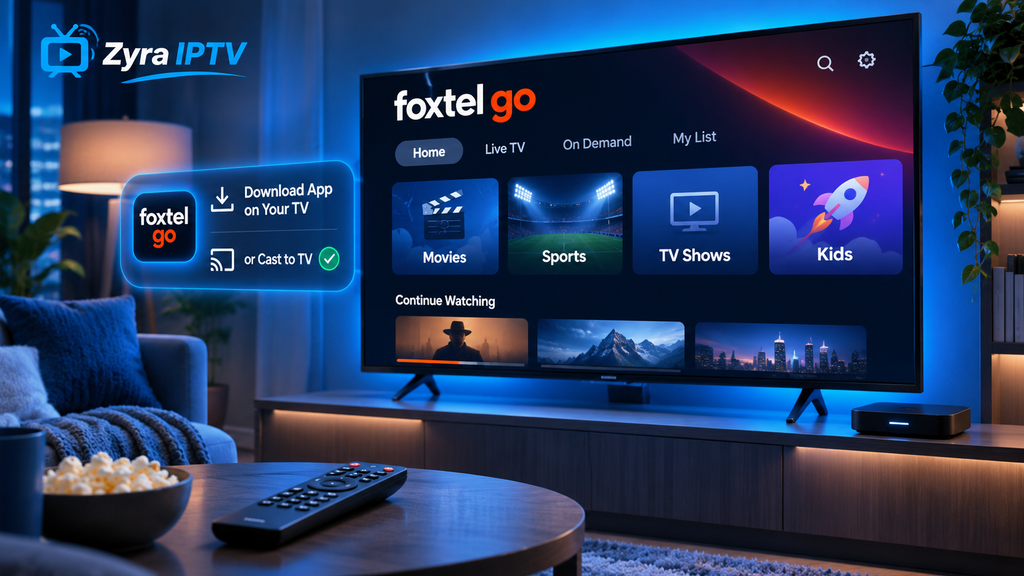
How to Cast Foxtel Go to a TV With Chromecast
If your television does not have a suitable native Foxtel app, casting may be another option.
Foxtel says eligible customers can cast using a compatible television with Chromecast functionality or a Google Chromecast connected to the television.
The basic process is:
- Connect your phone or tablet to your home Wi-Fi.
- Make sure your Chromecast or compatible TV is connected to the same Wi-Fi network.
- Open the Foxtel app.
- Sign in to your account.
- Choose the programme you want to watch.
- Tap the Cast icon.
- Select your television or Chromecast.
- Wait for playback to begin on the TV.
Your phone or tablet then acts mainly as the controller while the content plays on the larger screen.
Foxtel specifies that the device you cast from and the compatible TV or streaming device must be connected to the same Wi-Fi network.
How to Watch Foxtel Go on TV With Apple TV
Apple TV provides another way to watch Foxtel on a television.
Foxtel currently lists Apple TV fourth generation or newer devices running a supported tvOS version among its compatible Foxtel Now devices.
Depending on your account and device setup, you may either use the supported Foxtel application on Apple TV or cast through AirPlay.
For AirPlay:
- Connect your Apple device and Apple TV to the same Wi-Fi network.
- Open the Foxtel app on your iPhone or iPad.
- Start or select the content you want.
- Tap the AirPlay option when available.
- Select your Apple TV.
- Allow the devices to connect.
Foxtel specifically identifies Apple TV and AirPlay as supported methods for eligible casting setups.
For broader IPTV configuration on Apple hardware, Zyra IPTV also has an Apple TV and iOS IPTV guide.
Do You Need Multiscreen to Cast Foxtel?
This depends on the type of Foxtel subscription you have.
Foxtel states that Foxtel Now subscribers can cast through the Foxtel app. For residential Foxtel subscribers, casting to another television is associated with eligible Multiroom or Multiscreen arrangements.
Because subscription conditions can change, check your current account rather than relying on older Foxtel Go instructions found online.
Your subscription also determines which channels and programmes you can access. Foxtel notes that not every channel may be available through its app even when it is part of a broader broadcast service.
Why Can’t I Cast Foxtel Go to My TV?
If the Cast or AirPlay icon is missing, start with the network.
Check the Wi-Fi Network
The phone, tablet and TV or streaming device should be connected to the same Wi-Fi network.
Foxtel specifically recommends checking this when the casting icon does not appear.
Restart Your Router
If both devices appear to be on the same network but casting still does not work, restart your modem or router.
Foxtel lists this as a troubleshooting step when Chromecast or Apple TV casting cannot be detected.
Restart the Apps and Devices
Close the Foxtel app and reopen it.
You can also restart:
- your phone or tablet
- Smart TV
- Chromecast
- Apple TV
Then reconnect everything to the same Wi-Fi network.
Check Your Subscription
Casting rights are not necessarily identical across every Foxtel account type.
If the technical setup looks correct but casting remains unavailable, confirm that your subscription supports the feature.
Why Can’t I Find Foxtel Go on My Smart TV?
The first possibility is simply the name.
Foxtel’s current consumer pages increasingly refer to the service as the Foxtel app, while “Foxtel Go” remains familiar terminology and continues to appear in some support information.
Try searching for Foxtel rather than only “Foxtel Go.”
If nothing appears, your television model or operating system may not be compatible.
In that case, options may include:
- Apple TV
- compatible Chromecast hardware
- another supported streaming device
- connecting a Foxtel iQ box separately
If you use other internet television services, Zyra IPTV’s broader IPTV guides explain setup methods across several types of streaming hardware.
Foxtel App vs Foxtel Box
These setups are easy to confuse but work differently.
A Foxtel iQ box is physical hardware connected directly to a television, normally through HDMI.
The Foxtel app streams television using an internet connection on compatible devices.
So the basic paths look like this:
Foxtel box:
Foxtel iQ → HDMI → TV
Smart TV app:
Internet → Foxtel app → Smart TV
Casting:
Foxtel app → Wi-Fi → Chromecast or Apple TV → television
The best setup depends on your existing equipment and subscription.
Can You Use Foxtel Go Outside Australia?
Foxtel says its streaming apps cannot be used outside Australia because of content rights and licensing arrangements.
This makes the query specifically relevant to Australian users rather than a general streaming setup for the United States or Canada.
Foxtel also states that using a VPN does not provide a supported method for accessing Foxtel Now outside Australia.
Does Foxtel Go Work in HD or 4K?
Streaming quality depends on several factors, including the device, content and internet connection.
Foxtel states that picture quality varies with the device and network connection, and not every programme or channel is available in the same quality.
For Foxtel Now, its current device information lists 4K support on selected compatible hardware and content, subject to relevant requirements.
If the picture repeatedly drops in quality, check your home Wi-Fi before assuming there is a problem with the television itself.
Frequently Asked Questions
How do I get Foxtel Go on my Smart TV?
Search for the current Foxtel app in your compatible Smart TV’s app store, install it and sign in with the appropriate Foxtel credentials. If your television is not compatible, casting through Chromecast or Apple TV may be an alternative.
Can I cast Foxtel Go to my TV?
Yes, eligible customers can cast through compatible Chromecast or AirPlay equipment. Your mobile device and TV or streaming device need to be connected to the same Wi-Fi network.
Can I put Foxtel Go on Apple TV?
Foxtel currently supports eligible Apple TV models, and AirPlay can also be used for supported casting arrangements.
Why is the Foxtel Go cast button missing?
Check that both devices are connected to the same Wi-Fi network. Foxtel also recommends restarting the modem or router if the casting icon remains unavailable.
Is Foxtel Go free with Foxtel?
Foxtel states that access to its app is included for eligible Foxtel and Foxtel Now subscribers, although the programmes available depend on the customer’s subscription.
Conclusion
Understanding how to get Foxtel Go on TV mainly comes down to choosing between a native Smart TV app and casting. On a compatible television, install the current Foxtel app and sign in. If your television does not support it directly, eligible customers may be able to use Chromecast or AirPlay through Apple TV, provided the devices are connected to the same Wi-Fi network.
If you are also comparing Foxtel with internet-based live television options and IPTV players, Zyra IPTV provides additional device setup information for viewers exploring different ways to stream television.