
Choosing an IPTV provider should involve more than comparing prices or selecting the service that advertises the most channels. A better decision comes from checking the content you actually want, device compatibility, streaming performance, subscription conditions, support, security, and provider transparency.
If you are researching how to choose IPTV OTT provider, it is also useful to clarify the terminology. IPTV and OTT can describe different technical delivery models, but consumers often encounter both terms when comparing internet-based television services. In this guide, “provider” means a consumer-facing television or streaming service rather than a company developing an OTT platform for broadcasters.
Use the checklist below before committing to a subscription.
1. Define What You Actually Need
Start with your viewing habits rather than the provider’s marketing page.
Ask yourself:
- Which television channels do I regularly watch?
- Is live sports important?
- Do I mainly want live TV or on-demand movies and series?
- Do I need international programming?
- Which devices will I use?
- Will more than one person watch simultaneously?
- Do I need an EPG?
- Is catch-up television important?
- What video quality does my setup realistically support?
Creating this list makes provider comparisons much easier.
Someone watching one Smart TV has different requirements from a household that wants several simultaneous streams across televisions, tablets, and other devices.
2. Check the Channel Lineup Carefully
Large channel numbers can look impressive, but quantity alone does not determine value.
Instead, confirm whether the provider has the channels and categories you actually want.
Pay particular attention to:
- local television
- news channels
- sports
- children’s programming
- entertainment
- international channels
- movies and TV series
When comparing Zyra IPTV, for example, you can review its published IPTV channel list rather than relying only on a headline channel count.
Also check regional availability. A service marketed internationally should not be assumed to provide identical programming in Australia, the United States, and Canada.
Sports and premium content can be especially dependent on regional distribution arrangements.
3. Verify Device and App Compatibility
Do this before paying.
An IPTV subscription is not useful if the required setup does not work with the device you plan to use.
Depending on the service, IPTV may be accessed through:
- Smart TVs
- Android TV
- smartphones
- tablets
- computers
- streaming devices
- compatible IPTV players
Ask the provider exactly how the service is configured.
Possible setup methods can include M3U playlists, account credentials, portal information, or another supported method.
Also distinguish between device compatibility and simultaneous connections. A service might technically work on several types of devices while your subscription allows only a particular number of concurrent streams.
If you need to understand common installation methods first, review the IPTV setup guides.
4. Evaluate Streaming Quality Realistically
Do not choose an IPTV OTT provider solely because the website displays terms such as HD, Full HD, or 4K.
Streaming quality depends on more than resolution.
Factors can include:
- source quality
- video encoding
- bitrate
- internet connection
- Wi-Fi signal
- network congestion
- application performance
- streaming device
- television or display
Ask what content is actually available at each resolution rather than assuming a 4K claim applies to everything.
Be equally cautious about absolute buffering promises. A provider cannot control every part of your local network, internet connection, Wi-Fi environment, device, and software.
A more useful question is whether playback performs consistently on your own setup.
5. Use a Trial When One Is Available
A legitimate trial can answer questions that specifications cannot.
Test the service on the same device and internet connection you expect to use after subscribing.
During the test, check:
- your preferred channels
- playback quality
- buffering
- channel switching
- EPG accuracy
- on-demand playback
- subtitles if needed
- performance during your usual viewing hours
- customer support
Peak-time testing can be particularly useful because a quiet weekday morning may not represent your normal viewing conditions.
Before starting any trial, read the terms so you know whether payment details are required, what happens when the trial ends, and whether it converts into a paid plan.
6. Check EPG, VOD, and Catch-Up Features
Features beyond live television can significantly affect usability.
An EPG, or Electronic Programme Guide, displays scheduling information and helps users navigate television channels.
Video on demand, commonly called VOD, provides movies, series, or other programmes that can be started when the viewer chooses.
Some services may also provide catch-up functionality for previously broadcast programmes.
Do not assume every channel supports every feature. Ask whether the features you care about work with the specific content and device you intend to use.
7. Compare Subscription Terms Before Price
Price matters, but comparing headline prices alone can produce a poor decision.
Before subscribing, determine:
| Check | Question to ask |
|---|---|
| Duration | How long does the subscription last? |
| Currency | Which currency will I actually be charged? |
| Renewal | Does the plan renew automatically? |
| Cancellation | How can I cancel? |
| Refunds | Is there a refund policy and what conditions apply? |
| Connections | How many simultaneous streams are included? |
| Changes | Can channels or features change during the subscription? |
| Support | What help is included? |
This becomes particularly important when comparing services across different countries.
Do not assume a price displayed for one market is directly comparable with a price in another currency or under different subscription conditions.
8. Research the Provider, Not Just the Product
Knowing how to choose OTT IPTV provider also means checking who is behind the service.
Look for:
- meaningful contact information
- clear terms and conditions
- privacy information
- cancellation instructions
- refund conditions
- understandable subscription details
- consistent information across the website
A polished website does not prove that a provider is trustworthy.
HTTPS is useful because it encrypts the connection to a website, but the U.S. Federal Trade Commission notes that an encrypted website is not automatically a legitimate business. The FTC also recommends checking sellers, understanding refund policies, and keeping transaction records when purchasing online.
9. Treat Reviews and Rankings Carefully
Reddit discussions, review sites, social media posts, and “best IPTV” rankings can help you find potential providers, but they should not make the decision for you.
Check multiple sources.
Consider:
- how recent the review is
- whether the reviewer provides specific details
- whether the reviewer has tested the service
- whether an affiliate relationship exists
- whether several reviews use suspiciously similar language
- whether both advantages and disadvantages are discussed
The FTC advises consumers to consider the source of reviews and compare information across multiple sources because reviews can be fake, deceptive, manipulated, or influenced by incentives.
Treat rankings as research material, not as proof that one provider is universally the best.
10. Check Security Before Installing Anything
IPTV often requires an application or player, so software security deserves attention.
Before installing an app:
- identify the developer
- verify the download source
- review requested permissions
- avoid modified apps from unknown websites
- keep your device updated
- do not ignore security warnings without understanding them
Be especially careful when a provider asks you to disable device security permanently or install unrelated software.
For Smart TV users, the Smart TV IPTV setup information can help you understand normal installation steps before following unfamiliar instructions.
11. Examine Content Authorization and Regional Availability
IPTV is a delivery technology. It does not automatically give a provider permission to redistribute every television channel, movie, or sporting event.
Before subscribing, consider whether the provider clearly explains:
- who operates the service
- where the service is available
- applicable subscription terms
- regional limitations
- important content availability
- licensing or authorization claims where relevant
Consumers usually cannot inspect private distribution agreements, so avoid making assumptions in either direction.
A large channel list, low price, IPTV app, or paid subscription does not by itself prove that content is authorized.
12. Test Customer Support Before You Need It
Support is easy to ignore until something stops working.
Before committing to a longer subscription, send the provider a meaningful question.
For example:
- Which setup method is required for my device?
- How many simultaneous streams does this plan allow?
- Where can I find the cancellation terms?
- Is EPG supported with the channels I need?
- What should I do if my login stops working?
Evaluate whether the response is clear and consistent with the website.
Fast answers are useful, but accurate answers are more important.
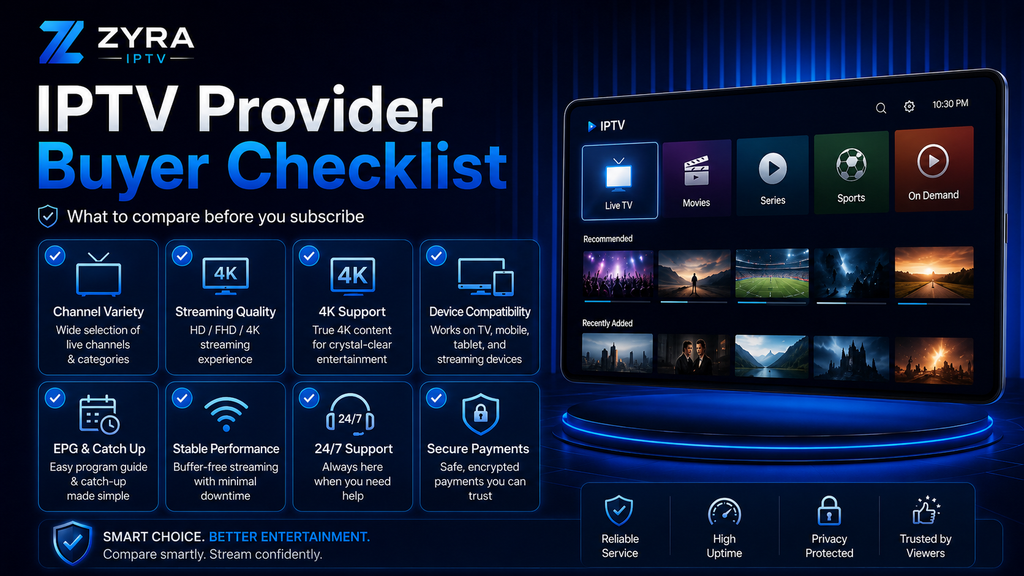
Complete IPTV Provider Buyer Checklist
Before purchasing, confirm that you have:
- Listed your must-have channels and content.
- Checked regional availability.
- Confirmed your device and IPTV player setup.
- Verified simultaneous connection limits.
- Reviewed available streaming quality.
- Tested performance when a suitable trial exists.
- Checked EPG, VOD, and catch-up requirements.
- Read pricing, renewal, cancellation, and refund terms.
- Researched the company behind the service.
- Compared reviews from several sources.
- Checked app and payment security.
- Considered content authorization.
- Tested customer support.
- Compared the complete experience rather than one marketing claim.
Frequently Asked Questions
How to choose IPTV OTT provider?
Start by defining the content and devices you need. Then compare channel availability, streaming quality, simultaneous connections, EPG and VOD features, subscription terms, trials, support, security, and provider transparency.
Should I choose an IPTV provider based on channel count?
No. Relevant channels are generally more useful than a very large list containing programming you never watch.
Should I test IPTV before buying a longer subscription?
When an appropriate trial is available, testing can help you evaluate playback, channels, EPG, device setup, and support under your own viewing conditions.
What should I ask an IPTV provider before subscribing?
Ask about device setup, simultaneous connections, content availability, subscription duration, renewal, cancellation, refunds, support, and any features that are important to you.
Is IPTV the same as OTT?
Not exactly. IPTV can refer more specifically to television delivered through IP-based networks, including managed network environments, while OTT generally refers to content delivered over the internet without requiring a traditional television distribution network. In consumer searches, however, the terminology is sometimes used loosely.
Choose an IPTV Provider Using Evidence, Not Claims
Knowing how to choose IPTV OTT provider comes down to making a structured comparison rather than searching for one headline feature.
Start with your own viewing requirements, verify the channels and devices that matter, test performance where possible, read the subscription terms, evaluate security and support, and investigate the provider before paying.
Once you have your checklist ready, you can review Zyra IPTV and compare its published service information against the same criteria before deciding whether it fits your viewing requirements.
