
Is IPTV safe to use? IPTV as a television delivery technology is not inherently dangerous, but the safety of your experience depends on the provider, the app you install, where you download it from, what permissions it requests, and how you handle account and payment information.
The biggest concerns are usually not the video stream itself. They include malicious or modified apps, phishing, weak account security, excessive app permissions, questionable payment pages, and providers that are unclear about how they handle personal information.
You can reduce many of these risks by using trusted software sources, keeping devices updated, reviewing app permissions, and checking a provider carefully before entering payment or login information.
What Makes IPTV Safe or Unsafe?
IPTV stands for Internet Protocol Television. It delivers television and video through IP-based networks instead of relying only on traditional cable, satellite, or terrestrial broadcasting.
The technology itself does not tell you whether a particular service is trustworthy.
Think of IPTV safety as several separate questions:
| Safety area | What to consider |
|---|---|
| App security | Where the IPTV player came from and whether it may contain harmful software |
| Privacy | What data the app or provider collects and which device permissions are requested |
| Account security | How passwords and login credentials are handled |
| Payment safety | Whether the checkout process and payment recipient are trustworthy |
| Provider reliability | Whether the company clearly identifies itself and publishes meaningful terms |
| Network security | Whether your device and home network are properly protected |
A service can perform well technically while still having weak privacy practices, so streaming quality should not be treated as proof of security.
Can IPTV Apps Contain Malware?
Yes, a malicious application disguised as an IPTV player can potentially contain malware.
This risk is especially relevant when users download unofficial APK files, modified applications, browser extensions, or add-ons from unfamiliar websites.
The U.S. Federal Trade Commission has specifically warned that malicious software has been distributed through apps and add-ons associated with pirated video streaming. Such malware can potentially expose login details, financial information, or other data stored on devices connected to a network.
That does not mean every third-party IPTV application is malicious. It means the source of the software matters.
A safer approach is to:
- identify the developer before installing an app
- use an official app store when an appropriate app is available
- avoid modified or “premium unlocked” APK files from unknown sites
- keep your operating system and apps updated
- do not disable built-in security warnings just to complete an installation
Google Play Protect, for example, checks Android apps for potentially harmful behaviour and can scan apps installed from sources outside Google Play as well.
If you need help understanding normal installation procedures, review the IPTV installation guides before installing unfamiliar software.
Is Sideloading an IPTV App Dangerous?
Sideloading means installing software outside the device’s normal application store.
Sideloading is not automatically malicious, but it removes some of the safeguards associated with downloading through an official marketplace. The risk depends heavily on the source and integrity of the file.
Be cautious when an installation guide asks you to:
- disable security protection permanently
- ignore malware warnings
- grant unusual permissions
- download several unrelated files
- install an APK from a shortened or unfamiliar link
- give the app administrator-level access without a clear reason
Android users should keep Google Play Protect enabled unless they have a specific and well-understood reason not to. Google states that Play Protect can warn about, deactivate, or remove potentially harmful applications.
For platform-specific setup information, you can also review the Android TV IPTV guide.
What Privacy Risks Can IPTV Apps Create?
Privacy risks depend on the individual app and service.
An IPTV application may legitimately require internet access and account credentials, but permissions unrelated to its normal function deserve closer attention.
For example, ask why a television streaming app would need broad access to:
- contacts
- precise location
- microphone
- camera
- photos
- files unrelated to IPTV
- SMS messages
A permission request does not automatically prove malicious intent, but the developer should have a reasonable explanation for why it is needed.
On iPhone and iPad, Apple allows users to review access to data such as contacts, photos, location, camera, and microphone. Apple’s App Privacy Report can also show app network activity and how frequently apps access certain sensitive information.
Android users can similarly review permissions in device settings.
Before using an IPTV application, read its privacy policy when available and avoid granting permissions that do not appear necessary for streaming.
Can Your IPTV Login Details Be Stolen?
Any online account can become vulnerable if credentials are exposed through phishing, malware, or poor password practices.
IPTV login details might include a username, password, playlist URL, portal address, or another form of account access.
To protect them:
- Do not post account details publicly.
- Avoid forwarding credentials through untrusted websites or forums.
- Use unique passwords when the service allows you to choose one.
- Do not reuse important banking or email passwords.
- Be cautious with messages claiming your IPTV account will be suspended unless you immediately enter payment or login information.
The FTC warns that phishing messages often impersonate companies and claim that an account or payment method has a problem in order to persuade users to reveal sensitive information.
When in doubt, access the provider through the website you normally use rather than following an unexpected message link.
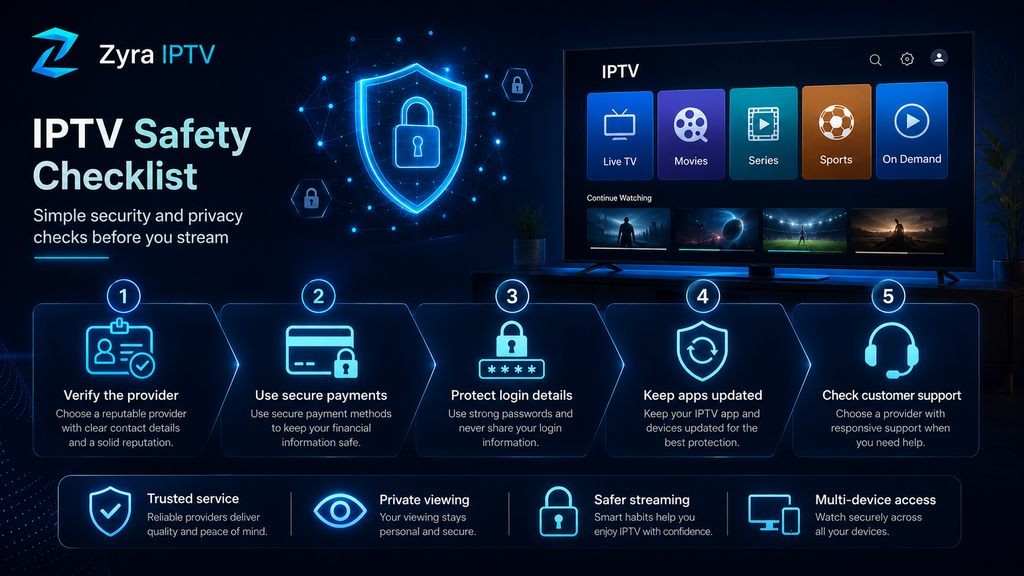
Is It Safe to Pay for an IPTV Subscription Online?
It depends on the provider and payment process.
Before entering card or financial information, check:
- whether you are on the correct website
- whether the amount and currency are clearly shown
- whether subscription duration is explained
- whether renewal terms are disclosed
- whether cancellation and refund terms are available
- whether you know who will receive the payment
Do not assume a service is trustworthy simply because it accepts a particular payment method.
Likewise, unusual payment methods do not automatically prove fraud. The key issue is whether you understand who you are paying and what protections may be available if the transaction goes wrong.
Be especially careful if someone contacts you unexpectedly and asks you to change payment details or send money to a new recipient.
Does IPTV Put Your Home Network at Risk?
An ordinary video stream does not automatically compromise your Wi-Fi network.
The greater concern is software running on a device connected to that network. If an application contains malware, the affected device may potentially expose data or create risks for other connected systems.
The FTC has warned that malware associated with illicit streaming apps can potentially spread risk beyond the original streaming device to other devices on the same wireless network.
Basic network hygiene helps:
- keep your router firmware updated
- use a strong Wi-Fi password
- keep streaming devices updated
- remove applications you no longer use
- run available security scans after suspicious behaviour
- avoid using outdated devices that no longer receive security patches
Your Smart TV or streaming box is still a network-connected computer, so it should be treated accordingly.
For television-specific installation guidance, see the Smart TV IPTV setup guide.
Does a VPN Make IPTV Safe?
A VPN can encrypt traffic between your device and the VPN server, but it does not solve every IPTV security problem.
A VPN cannot automatically protect you from:
- malware already installed on your device
- phishing websites
- fake payment pages
- malicious APK files
- stolen account credentials
- excessive app permissions
- an untrustworthy provider
It also does not prove that an IPTV service is legitimate.
A VPN should therefore be viewed as a networking and privacy tool, not as a substitute for safe applications, trustworthy providers, strong passwords, and sensible device security.
Warning Signs of an Unsafe IPTV Setup
Take extra care when you encounter several of these signs together:
- the provider cannot clearly explain who operates the service
- an app is available only through an unfamiliar download link
- installation requires disabling security protection
- the app requests permissions unrelated to video playback
- payment instructions frequently change
- support asks for passwords to unrelated accounts
- you receive unexpected login or payment messages
- the device begins displaying unusual ads or redirects
- the app installs additional software without a clear explanation
One warning sign does not automatically prove malicious activity, but multiple unexplained issues are a reason to stop and investigate.
What Should You Do If You Installed a Suspicious IPTV App?
If you think an application may be unsafe, stop using it.
Remove the suspicious app and run the security tools available on your device. Make sure the operating system and security software are current.
If you entered passwords through the suspicious application or website, change those passwords from a trusted device and enable two-factor authentication where available.
The FTC recommends updating security software, running a malware scan, changing compromised passwords, and enabling two-factor authentication when someone may have gained access to a device or account.
If financial details may have been exposed, contact the relevant payment provider promptly.
Frequently Asked Questions
Is IPTV safe to use?
IPTV technology is not inherently unsafe. Risks depend on the service, software, download source, account security, payment process, and privacy practices.
Can IPTV give my TV a virus?
A video stream itself is not normally the concern. Installing a malicious or modified application can expose a Smart TV, streaming box, or other device to security risks.
Are IPTV APK files safe?
Some may be legitimate, while others may contain harmful or modified code. Verify the developer and source before installing an APK, and do not ignore security warnings without understanding them.
Can an IPTV provider see my IP address?
Online services generally receive network information needed to communicate with connected devices, including an IP address. What a specific IPTV provider records, retains, or uses depends on that provider’s systems and privacy practices.
Does a VPN prevent IPTV malware?
No. A VPN does not remove malware or make a malicious application safe. Software source and device security still matter.
Is an IPTV app from an official app store completely safe?
Official stores provide additional screening and security controls, but no distribution platform can guarantee that every application will always be free of problems. Continue reviewing the developer, permissions, updates, and privacy information.
Use IPTV With Sensible Security Practices
So, is IPTV safe to use? It can be, but safety depends much more on the provider, application, and your security practices than on IPTV technology itself.
Use trusted software sources, keep your devices updated, review app permissions, protect account credentials, investigate unexpected messages, and understand who you are paying before subscribing. These basic steps address many of the practical security and privacy risks associated with IPTV.
If you are researching an IPTV service and want to review its published information before making a decision, you can visit Zyra IPTV and evaluate the service using the same security and privacy checks described above.
