
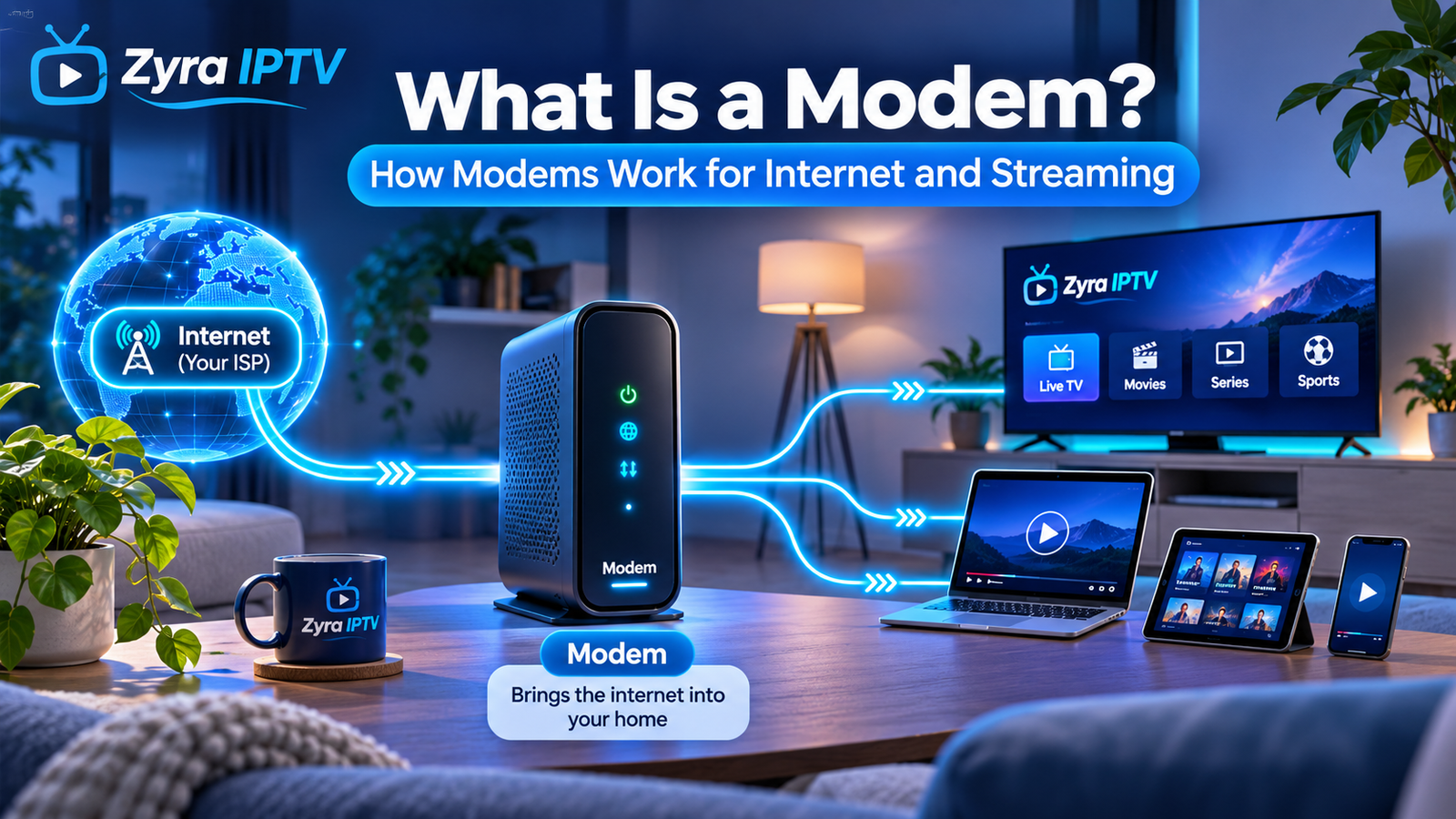
If you are asking what is modems, the simple answer is that a modem is the device that connects your home network to your internet service provider, or ISP. It receives the signal delivered through your broadband connection and converts it into a form your local network equipment can use.
A modem usually works together with a router. The modem provides the connection to the internet, while the router shares that connection with your Smart TV, phone, computer, streaming device and other equipment. NETGEAR describes a modem as the device that connects to an ISP and converts the incoming internet signal into an Ethernet connection.
For streaming and IPTV, the modem matters because every video stream ultimately has to pass through your broadband connection before it reaches your television or streaming device.
What Do Modems Do?
A modem sits between your home network and your internet provider.
Its main jobs include:
- connecting your home to the ISP
- receiving the incoming broadband signal
- converting that signal into usable network data
- sending outgoing data back toward the ISP
- providing an Ethernet connection for a router or another device
In a typical home setup, the connection looks like this:
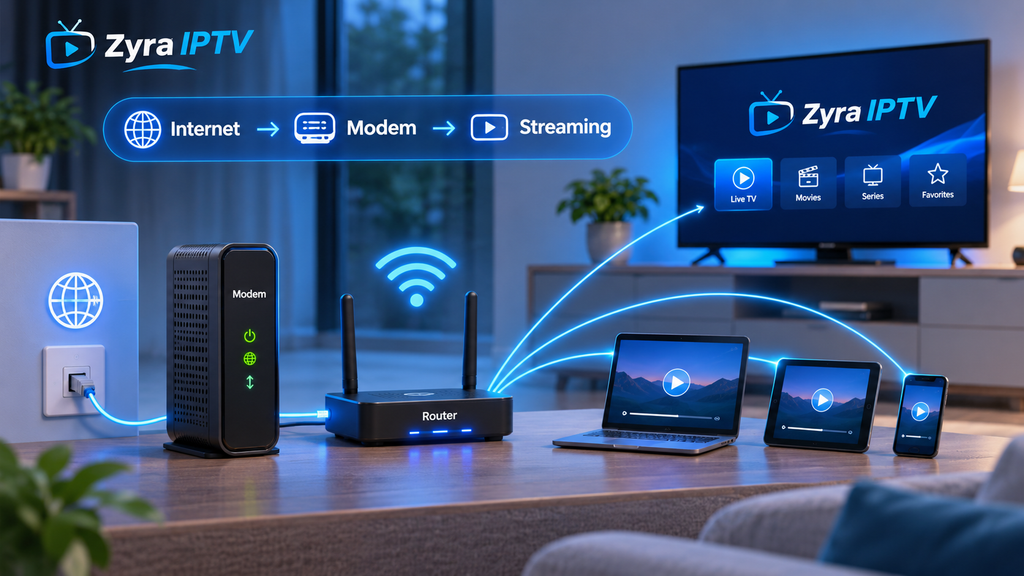
Internet provider → modem → router → Smart TV, phone, computer and other devices
Cisco explains the difference simply: the modem provides the connection to internet access through the ISP, while the router connects and manages multiple devices on the local network.
What Does the Word Modem Mean?
The word modem originally comes from modulator-demodulator.
Traditional modems converted digital information into signals that could travel over communications lines and then converted received signals back into digital information.
Lenovo explains that modulation and demodulation are the processes that gave the modem its name.
Modern broadband technologies are more complicated than the old dial-up systems many people associate with the word modem, but the basic purpose remains similar: the modem creates the connection between your provider’s network and your own equipment.
Is a Modem the Same as a Router?
No.
This is one of the most common networking questions because many households receive one box from their ISP that performs both jobs.
A modem connects your network to the internet service.
A router creates and manages the local network used by your devices.
Cloudflare describes the distinction as follows: the modem connects a network to the internet, while the router manages the flow of data within and between local networks.
| Device | Main job |
|---|---|
| Modem | Connects your home to the ISP |
| Router | Shares and manages the connection between devices |
| Wi-Fi router | Router that also provides wireless connectivity |
| Gateway | Combines modem and router functions |
So if you have a modem without a router, you may be able to connect one suitable wired device directly. If you want Wi-Fi and multiple devices online at the same time, you normally need a router as well.
What Is a Modem-Router or Gateway?
A modem-router combines both functions into one piece of equipment.
Internet providers often supply this type of device because it simplifies home installation.
A gateway can:
- connect to the ISP
- create Wi-Fi
- provide Ethernet ports
- manage local network traffic
- connect several devices at once
Lenovo notes that a gateway combines modem and router functions in the same unit.
This means you may already have a modem even if you cannot see a separate device labelled “modem.”
If one box from your ISP handles both your broadband connection and Wi-Fi, it is likely performing both modem and router functions.
How Does a Modem Work?
Imagine watching a movie on your Smart TV.
Your television sends a request through your home network. The router passes that request toward the modem. The modem then communicates with your ISP.
The process can be simplified as:
Smart TV → router → modem → ISP → internet service
Data returning from the streaming service follows the path in reverse:
Streaming service → ISP → modem → router → Smart TV
This exchange happens continuously while you browse websites, stream video, use IPTV, make calls or download files.
The modem itself does not decide which room or device should receive the data. That is mainly the router’s job.
What Types of Modems Are There?
The type of modem depends on the broadband technology used by your internet provider.
Cable Modem
Cable modems use coaxial cable networks.
NETGEAR notes that cable modems commonly use DOCSIS technology to communicate over cable internet systems.
DSL Modem
DSL modems use compatible telephone-line infrastructure to provide broadband service.
The exact type can depend on the DSL technology used by the provider.
Fibre Equipment
Fibre connections work differently from traditional cable and DSL systems.
A fibre installation may use an optical network terminal, often called an ONT, rather than a conventional cable modem. The ONT converts the fibre-optic signal into a connection that local networking equipment can use.
Depending on the provider, your router may connect directly to the ONT.
Mobile Broadband Modem
4G and 5G internet connections can use cellular modems.
These connect through a mobile network instead of a fixed cable, telephone line or fibre connection.
Some 4G and 5G home internet devices also include router and Wi-Fi functions in the same unit.
Can a Modem Provide Wi-Fi?
A standalone modem normally does not provide Wi-Fi by itself.
Its primary role is to establish the internet connection.
To create a wireless network, you normally connect a Wi-Fi router to the modem.
NETGEAR explains that a router takes the wired Ethernet connection supplied by the modem and distributes it to several wired and wireless devices.
However, many ISP-supplied devices combine a modem and Wi-Fi router, so they can perform both jobs.
That is why some people casually call the entire device a “modem” even when it is technically a modem-router gateway.
Does a Modem Affect Internet Speed?
Yes, a modem can affect the maximum performance your connection can achieve.
The actual internet speed you experience can depend on:
- your broadband plan
- modem capability
- ISP network conditions
- connection technology
- router capability
- Wi-Fi signal strength
- device performance
- network congestion
For cable internet, for example, modem standards such as DOCSIS determine the capabilities available over compatible cable networks.
An older modem may become a bottleneck if it cannot support the speeds offered by your current internet plan.
However, buying a faster modem does not automatically make your broadband plan faster. The provider still controls the service speed available to your connection.
Does a Modem Affect Wi-Fi Speed?
Indirectly.
The modem supplies the internet connection, while the router handles Wi-Fi.
If the modem is limiting your broadband speed, every Wi-Fi device will also be limited by that connection.
But if the modem is working correctly and only devices far from the router are slow, the problem may be Wi-Fi coverage rather than the modem.
For example:
Fast Ethernet connection, slow bedroom Wi-Fi: likely a router or wireless coverage issue.
Slow Ethernet and slow Wi-Fi everywhere: the modem, ISP connection or broadband plan may deserve closer investigation.
Understanding this distinction can prevent unnecessary equipment replacements.
Why Does a Modem Matter for Streaming?
Streaming video requires a steady internet connection.
When you watch:
- live TV
- IPTV
- movies
- TV series
- sports
- on-demand content
the video data continuously passes through your internet connection.
A typical IPTV setup may look like:
Internet → modem → router → Smart TV → IPTV player
The modem does not contain the IPTV channels or programme guide. It simply provides the network path that allows the streaming app to communicate with the internet.
If you are configuring IPTV directly on a television, Zyra IPTV’s Smart TV IPTV guide covers the application side of that setup.
For broader installation instructions across several devices, see the IPTV guides.
Can a Bad Modem Cause Buffering?
It can, but buffering does not automatically mean the modem is faulty.
Possible causes include:
- broadband congestion
- poor Wi-Fi coverage
- an outdated router
- modem connection problems
- ISP outages
- overloaded streaming servers
- a slow device
- problems with the streaming application
If every wired and wireless device suddenly becomes slow, checking the modem and ISP connection makes sense.
If only one television has problems while other devices are fast, the modem is less likely to be the cause.
Restarting the modem can sometimes restore a stalled broadband connection, but repeated problems should be investigated rather than solved only through constant restarts.
What Do the Lights on a Modem Mean?
The exact lights vary by manufacturer, but common indicators can represent:
- power
- downstream connection
- upstream connection
- internet or online status
- Ethernet connection
A normal connection usually requires the modem to establish communication with the ISP before internet access becomes available.
If an internet or online light remains off or repeatedly flashes abnormally, the modem may not be completing its connection to the provider.
Always check the manufacturer’s documentation or your ISP’s support instructions because light meanings differ between models.
Should You Restart a Modem?
Restarting can be a useful first troubleshooting step.
A simple restart usually involves:
- Turn off or unplug the modem.
- Wait briefly.
- Reconnect power.
- Allow the modem to reconnect fully.
- Restart the router if it is a separate device.
If you use separate equipment, allowing the modem to establish its connection before starting the router can help during troubleshooting.
A restart is different from a factory reset.
A factory reset can erase settings and should not be performed casually.
Can You Buy Your Own Modem?
Sometimes, but compatibility with the ISP is essential.
Lenovo recommends checking the internet provider’s approved modem list because compatibility can depend on the modem model, firmware and service tier.
Some ISPs require their own equipment, while others allow customer-owned hardware.
Before buying, verify:
- connection type
- ISP compatibility
- supported speeds
- required modem standard
- activation process
- whether the provider uses a separate ONT or gateway
Do not assume a cable modem will work on a DSL, fibre or mobile broadband service.
Modem vs Router for IPTV
Both pieces of equipment can affect IPTV, but in different ways.
The modem handles the broadband connection entering the home.
The router distributes that connection to the device running the IPTV player.
If the modem loses internet connectivity, IPTV stops because the entire home loses access to the internet.
If the router has weak Wi-Fi coverage, the IPTV service may work well near the router but buffer on a distant Smart TV.
For Android-based televisions and streaming boxes, Zyra IPTV’s Android TV setup guide covers the IPTV software setup once the network connection is working.
Frequently Asked Questions
What is a modem in simple terms?
A modem is the device that connects your home network to your internet service provider and converts the provider’s incoming connection into network data your equipment can use.
What do modems do?
Modems establish communication with the ISP and provide the internet connection that can then be shared with devices through a router.
Is a modem the same as Wi-Fi?
No. A modem provides internet connectivity. Wi-Fi is the wireless networking method normally provided by a Wi-Fi router or combined gateway.
Do I need a modem and router?
Many home connections require both functions. They may be separate devices or combined into one modem-router gateway.
Can I connect a computer directly to a modem?
With some standalone modems, a compatible wired device can connect directly through Ethernet. For normal households with several devices and Wi-Fi, a router is usually used as well.
Does fibre internet use a modem?
Fibre services commonly use an optical network terminal or similar fibre equipment rather than a traditional cable or DSL modem. The exact setup depends on the ISP.
Can a modem cause slow streaming?
Yes, if the modem or broadband connection is limiting performance. However, slow streaming can also come from Wi-Fi, the router, the streaming device, ISP congestion or the streaming service itself.
Conclusion
So, what is modems? A modem is the part of your home network that establishes the connection between your equipment and your internet provider. A separate router then normally shares that connection with your Smart TV, computer, phone and other devices.
For IPTV and streaming, both modem performance and the rest of the network matter because video must travel through the broadband connection before reaching your player. If you are setting up internet television on a compatible device, Zyra IPTV provides additional IPTV setup information for Smart TVs and other streaming platforms.