
What is the best stream format for IPTV? There is no single format that works best for every setup. HLS is often useful when network conditions change, particularly if the provider offers adaptive-quality streams. A continuous MPEG Transport Stream (TS) may suit compatible live TV setups where straightforward delivery and low latency are priorities.
The better choice depends on your IPTV provider, player, device, internet connection, and the way the stream is configured.
If your IPTV application offers TS, HLS, or M3U8 options, understanding their differences can help you make an informed choice instead of changing settings randomly.
IPTV Stream Formats at a Glance
IPTV services use different methods to package and deliver video over IP networks.
Three terms commonly appear in IPTV discussions: TS, HLS, and M3U8.
| Term | What it means | Main purpose |
|---|---|---|
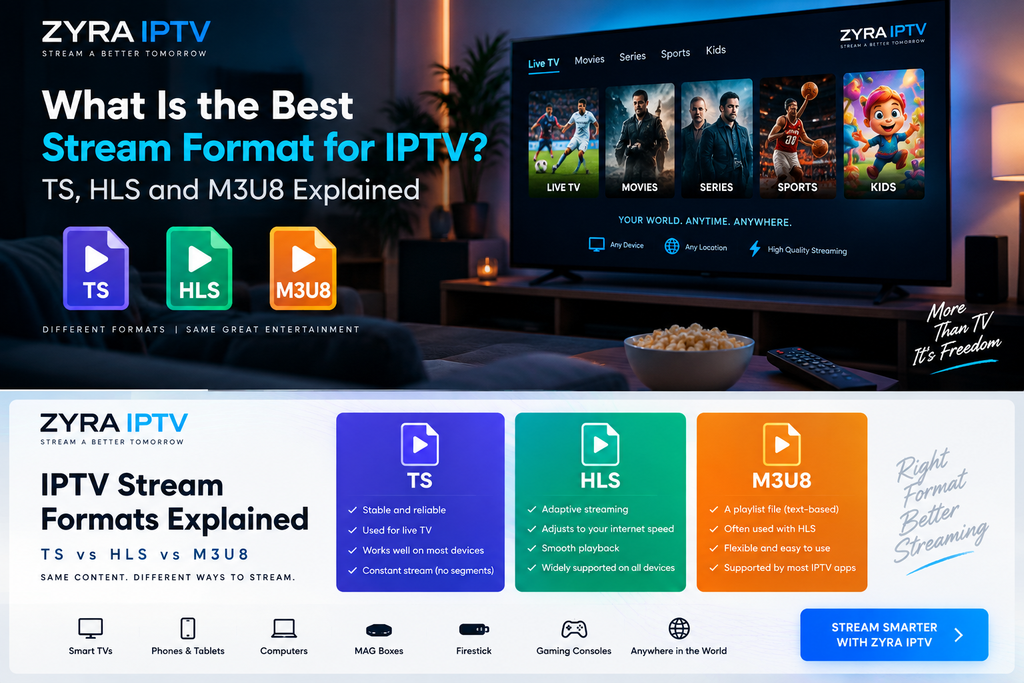
| TS | MPEG Transport Stream | Packages audio and video for transport |
| HLS | HTTP Live Streaming | Delivers media through playlists and segments |
| M3U8 | UTF-8 playlist file format | Commonly identifies HLS playlists |
These terms are related but do not describe three completely separate video technologies.
In particular, M3U8 is not an alternative streaming protocol competing with HLS. It is the playlist format commonly used by HLS.
What Is MPEG-TS in IPTV?
MPEG-TS stands for MPEG Transport Stream.
It is a container format designed to carry audio, video, and related information together.
In a typical IPTV context, a TS output option may deliver a continuous transport stream through a network connection.
Instead of repeatedly requesting individual media segments listed in an HLS playlist, the player receives the ongoing stream.
Potential Benefits of TS
A compatible continuous TS setup can offer straightforward live television delivery.
Depending on how the provider configures the stream, it may also have relatively low playback latency.
Latency refers to the delay between a live event happening and appearing on your screen.
This can matter when watching live sports or other time-sensitive broadcasts.
Limitations of TS
A continuous TS stream does not automatically adapt its bitrate when your available bandwidth drops.
If the connection cannot consistently deliver the required data, playback may pause or buffer.
However, TS is not inherently unreliable. Performance depends on the actual stream, network, server, and player.
It is also important to remember that MPEG-TS is a container format. It can be used inside other delivery systems, including HLS.
What Is HLS in IPTV?
HLS stands for HTTP Live Streaming.
It is a streaming technology developed by Apple that delivers media through ordinary HTTP connections.
Instead of depending on one continuous media transfer, HLS uses playlists that point to smaller media segments.
The player reads the playlist, requests the relevant segments, and plays them in sequence.
Apple’s official HTTP Live Streaming documentation explains how HLS supports live and on-demand delivery over web infrastructure.
Why HLS Can Help With Changing Internet Speeds
HLS can support adaptive bitrate streaming.
When a provider supplies multiple versions of the same video at different bitrates, a compatible player can switch between them according to available bandwidth.
For example, the player may select a lower-bitrate version when the connection becomes congested.
This can help maintain playback, although the picture quality may temporarily decrease.
Important: HLS does not automatically provide adaptive quality. The provider must supply suitable alternative streams, and the player must support switching between them.
What Is M3U8 in IPTV?
M3U8 refers to a UTF-8-encoded playlist format commonly used in HLS streaming.
An HLS playlist tells the player which media segments to request.
It may also point to alternative versions of a stream.
A simplified HLS address might resemble:
https://example.com/live/channel.m3u8
This is a fictional example, not a working IPTV stream.
A file ending in .m3u8 generally indicates a playlist rather than the video data itself.
HLS media segments may contain MPEG-TS or fragmented MP4 data, depending on the implementation.
The technical relationship between playlists and segments is described in the HTTP Live Streaming specification, RFC 8216.
Is M3U the Same as M3U8?
Not exactly.
An M3U file is a playlist that can contain links to multiple media sources, such as IPTV television channels.
M3U8 indicates UTF-8 playlist encoding and is commonly associated with HLS.
In IPTV, a general M3U playlist might contain a collection of channels, each pointing to a different stream.
An HLS M3U8 playlist typically describes how to retrieve the media segments or variants for a particular stream.
This distinction matters because an IPTV player may ask you to import an M3U playlist while separately offering an HLS playback option.
Those settings perform different functions.
TS vs HLS: What Are the Main Differences?
The practical differences depend on how each stream is delivered.
| Feature | Continuous TS delivery | HLS delivery |
|---|---|---|
| Delivery method | Ongoing transport stream | Playlist and media segments |
| Adaptive bitrate | Not inherent to a single continuous stream | Supported when multiple variants are provided |
| Live latency | Can be relatively low | Depends on segment and player configuration |
| Changing bandwidth | May require uninterrupted capacity | Can adapt when configured appropriately |
| Browser compatibility | May require additional playback support | Supported through compatible native players or software |
| Content format | MPEG transport stream | Can use MPEG-TS or fragmented MP4 segments |
Neither format guarantees a particular resolution, buffering rate, or delay.
An HLS stream can be poorly configured, while a continuous TS stream can perform smoothly on a suitable network.
Similarly, low-latency HLS configurations can reduce delay, so it is inaccurate to assume that TS is always faster.
Which Format Is Better for Live Sports?
When watching live sports, viewers often care about two factors: playback stability and latency.
A well-configured continuous TS stream may be useful when low delay is important.
HLS may provide a better experience on changing networks when adaptive bitrate options are available.
However, the actual delay depends on the provider’s encoding process, segment duration, player buffering, and delivery infrastructure.
Switching to TS does not guarantee that a match will appear earlier.
If both formats are available, test the same live channel on each and compare the results.
Which Format Is Better for Wi-Fi or Mobile Data?
HLS can be helpful when internet bandwidth varies, particularly if the provider offers multiple bitrate versions.
For example, a mobile connection may become slower as you move between coverage areas.
An adaptive HLS player can potentially switch to a lower-bitrate stream instead of stopping playback entirely.
A single-bitrate HLS stream cannot provide that same automatic quality adjustment.
For home viewing, strong Wi-Fi or Ethernet can improve the local connection regardless of the streaming format.
The stream format should not be treated as a replacement for troubleshooting an unstable network.
Does the Streaming Format Affect Picture Quality?
Not directly.
Picture quality depends on several factors, including:
- Source video quality
- Resolution
- Video bitrate
- Compression codec
- Encoding settings
- Device decoding capabilities
For example, H.264 and H.265 (HEVC) are video codecs. They describe how video is compressed, not whether it is delivered through TS or HLS.
Two streams using different delivery formats can show similar picture quality when their underlying video is encoded similarly.
If one option looks noticeably worse, check whether it uses a different bitrate or resolution.
How to Change the IPTV Stream Format
Not every IPTV application allows users to switch between TS and HLS.
Some providers supply only one format, while others offer alternative output methods.
If your setup supports format selection, follow this process:
- Open the IPTV application.
- Find its playback or stream settings.
- Look for an option labelled TS, MPEG-TS, HLS, or output format.
- Select a format supported by your provider.
- Test several channels.
- Restore the previous setting if playback becomes worse.
Changing the output format may require the provider to supply a different stream URL. A player setting cannot automatically convert an unsupported service into another delivery format.
If you are unfamiliar with your application, start with the Zyra IPTV installation guides and confirm which settings apply to your account.
Which Stream Format Should You Use on a Smart TV?
Smart TV compatibility depends on the operating system, IPTV application, supported codecs, and provider.
HLS may be appropriate for applications designed around HTTP-based streaming, while another player may handle a continuous TS source differently.
Do not assume that all Samsung, LG, or Android-based televisions have identical playback capabilities.
Before changing the format, consult the Smart TV IPTV setup instructions and check the requirements of your specific application.
For an Android-based television or streaming box, the Android TV installation guide provides a separate starting point.
How to Test TS and HLS Properly
If your provider offers both formats, compare them under similar conditions.
Use the same device, IPTV player, channel, and network.
Watch each option long enough to notice any recurring problems.
Pay attention to:
- Time needed to start playback
- Frequency of buffering
- Channel-switching responsiveness
- Audio and video synchronization
- Picture quality
- Delay during live events
Avoid changing several settings at once. Otherwise, you may not know which adjustment affected playback.
If one format fails completely, verify that your provider supports it before assuming the alternative is inherently superior.
Frequently Asked Questions
What is the best stream format for IPTV?
HLS can be useful for adaptive streaming over changing networks, while continuous MPEG-TS may suit compatible live TV setups where lower latency is a priority. The better option depends on the actual implementation.
Is HLS better than MPEG-TS?
Not universally. HLS supports segmented delivery and can provide adaptive bitrate streaming. A continuous TS setup may offer different latency and compatibility characteristics.
Is M3U8 the same as HLS?
M3U8 is a playlist format commonly used by HLS. HLS is the broader streaming protocol that uses playlists to organize media delivery.
Does TS have better picture quality than HLS?
Not inherently. Picture quality depends primarily on the source, video codec, bitrate, resolution, and encoding configuration.
Which IPTV format buffers less?
There is no guaranteed result. Adaptive HLS can respond to bandwidth changes when multiple bitrate variants are available, but overall buffering also depends on network stability, server performance, and the player.
Can I convert an IPTV stream from TS to HLS?
Conversion or repackaging requires suitable software and an authorized media source. Simply renaming a .ts file or stream address to .m3u8 does not create a valid HLS stream.
Conclusion: Choosing the Right IPTV Stream Format
The answer to what is the best stream format for IPTV depends on your viewing priorities and the formats your provider actually supports.
Continuous MPEG-TS can be suitable for live television, while HLS offers segmented delivery and can support adaptive quality when configured correctly. M3U8 is the playlist format commonly used to organize HLS streams, not a competing video protocol.
Before changing playback settings, confirm compatibility, test the available options, and investigate network problems separately.
If you are exploring IPTV and want to understand the available setup methods, visit Zyra IPTV and confirm its supported streaming formats with the provider before choosing a subscription.