
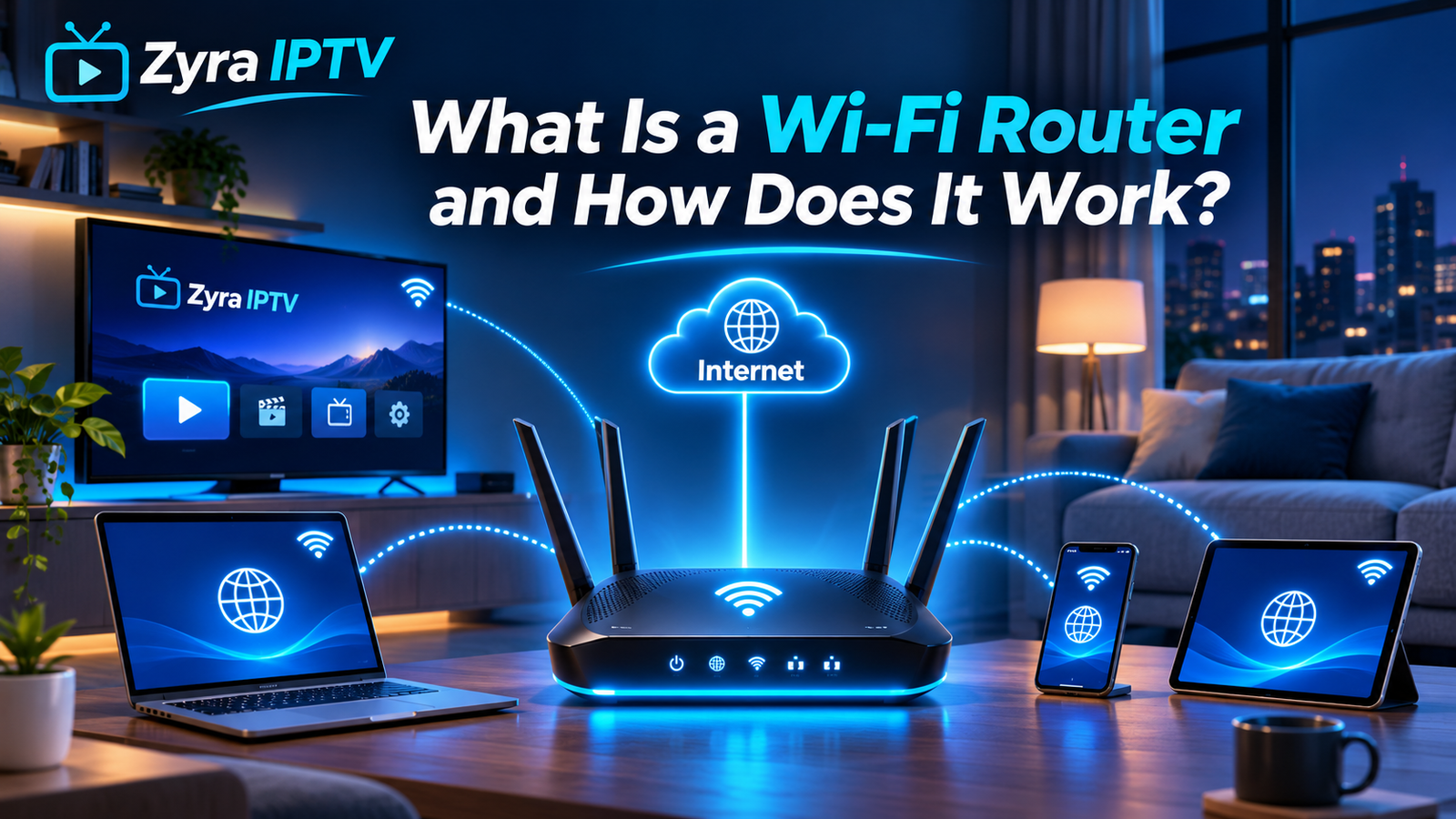
If you are wondering what is a WiFi router, it is the device that creates and manages the network used by your phones, Smart TVs, computers, streaming devices, game consoles, and other connected equipment.
A Wi-Fi router usually connects to your modem or another internet connection, then shares that connection with multiple devices through Wi-Fi and Ethernet. It also directs network traffic so information reaches the correct device. NETGEAR describes a router as the device that connects multiple local devices and moves data between those devices and the internet connection.
For streaming television and IPTV, the router is especially important because weak coverage, congestion, or poor placement can contribute to buffering even when your internet plan appears fast enough.
What Does a Wi-Fi Router Do?
A Wi-Fi router has several jobs inside a home network.
Its main functions include:
- creating a wireless Wi-Fi network
- connecting several devices at once
- sharing your internet connection
- directing data to the correct device
- providing wired Ethernet connections
- assigning local network addresses to connected devices
- managing communication between devices on your home network
- providing basic network security and firewall functions
A home Wi-Fi network is a type of local area network, or LAN. Devices such as televisions, phones and laptops communicate with the router through Wi-Fi or Ethernet, while the router provides the path between that local network and the wider internet.
How Does a Wi-Fi Router Work?
The process is easier to understand if you imagine data travelling back and forth between your device and a website or streaming service.
Suppose you open a streaming app on your Smart TV.
The process generally looks like this:
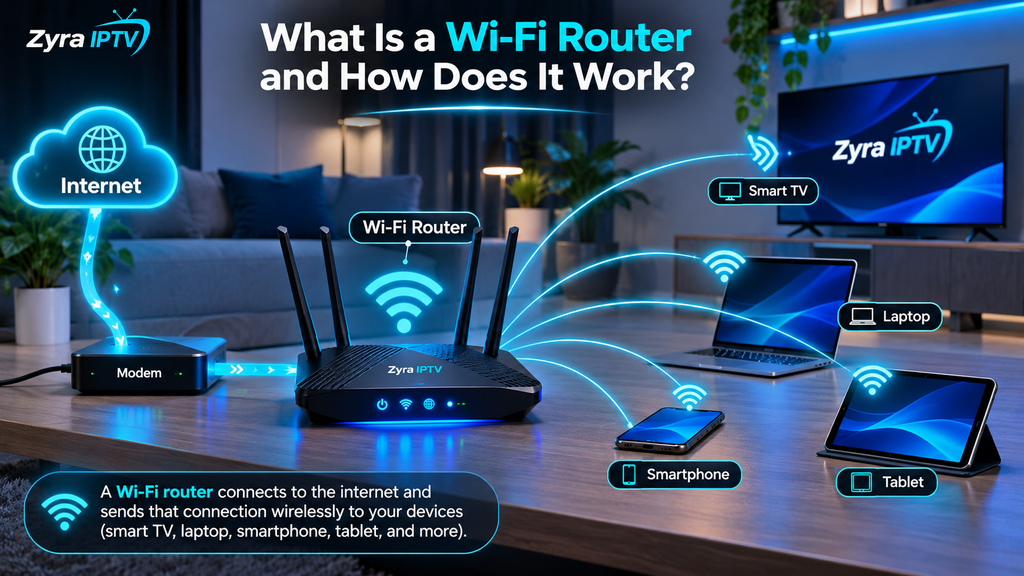
Internet service → modem or gateway → router → Smart TV
When the television requests a video stream, that request passes through your router to your internet connection.
The requested data comes back through the router, which identifies that the information belongs to your television rather than your phone, laptop or another connected device.
This happens continuously while you browse websites, make video calls, play games or stream television.
Wi-Fi itself uses radio signals to communicate between the router and compatible wireless devices. Common Wi-Fi bands include 2.4 GHz and 5 GHz, with newer equipment also able to use additional spectrum such as 6 GHz.
Is a Router the Same as a Modem?
No. A modem and a router perform different jobs, although many internet providers combine them into one device.
A modem connects your home network to your internet service.
A router distributes that connection to your devices and manages the local network.
Google describes a modem as the equipment that converts the incoming broadband connection into a connection that a router can use.
The difference can be summarised like this:
| Device | Main purpose |
|---|---|
| Modem | Connects your home to the internet service |
| Router | Shares and manages that connection between devices |
| Wi-Fi router | Router that also provides wireless connectivity |
| Gateway | Combines modem and router functions in one device |
If your internet provider supplied one box that provides both your internet connection and Wi-Fi, you probably have a modem-router combination, often called a gateway.
Does a Wi-Fi Router Give You Internet?
Not by itself.
A Wi-Fi router can create a local wireless network even without an active internet connection, but that does not automatically provide internet access.
For most home setups, the router needs to connect to:
- a modem
- an internet gateway
- an Ethernet internet connection
- another supported broadband device
This distinction explains why your phone can sometimes show that it is connected to Wi-Fi while websites still refuse to load.
Your device has successfully connected to the router, but the router may have lost its connection to the internet.
What Is the Difference Between Wi-Fi and Internet?
Wi-Fi and internet access are related, but they are not the same thing.
Wi-Fi is the wireless connection between your device and your local network.
The internet is the wider network reached through your internet service provider.
For example, your Smart TV might have a strong Wi-Fi connection to the router while the broadband service itself is temporarily unavailable.
In that situation, the television is still connected to Wi-Fi but cannot reach online streaming services.
Likewise, a fast internet plan does not guarantee strong Wi-Fi in every room if the router has poor coverage.
What Are 2.4 GHz, 5 GHz and 6 GHz Wi-Fi?
Modern routers can broadcast on different radio-frequency bands.
2.4 GHz
The 2.4 GHz band generally provides wider coverage and can perform better through walls and over longer distances.
However, it is widely used by many devices and can become congested.
5 GHz
The 5 GHz band can provide higher performance over shorter distances and often encounters less congestion than 2.4 GHz.
It can be useful for:
- Smart TV streaming
- IPTV
- video calls
- gaming
- large downloads
The exact performance still depends on your router, device and environment.
6 GHz
Newer Wi-Fi technologies can also use the 6 GHz band.
This provides additional wireless spectrum for compatible devices, but both the router and client device need to support the relevant Wi-Fi technology.
You do not necessarily need the newest Wi-Fi standard simply to watch streaming television. Coverage, congestion and your broadband connection are equally important.
What Is Dual-Band Wi-Fi?
A dual-band router typically provides both 2.4 GHz and 5 GHz Wi-Fi.
This lets different devices use whichever band is more appropriate.
NETGEAR notes that dual-band routers commonly provide separate 2.4 GHz and 5 GHz radios, allowing a mixture of older and newer devices to connect.
Tri-band routers provide an additional band or radio capacity, while newer mesh systems may use extra wireless capacity to communicate between mesh nodes.
For most households, the important consideration is not simply having more bands. You need enough coverage and capacity for the number of connected devices and the activities they perform.
What Is a Mesh Wi-Fi Router?
A traditional router broadcasts Wi-Fi from one main location.
A mesh Wi-Fi system uses several connected access points around the home to extend coverage.
This can be useful in:
- large homes
- multi-storey houses
- homes with thick walls
- properties with Wi-Fi dead zones
- households with many connected devices
With a mesh network, your phone, Smart TV or streaming device can connect through whichever mesh point provides a suitable connection.
A mesh system does not necessarily make your internet plan faster. Its main benefit is improving how effectively that connection reaches different parts of the property.
Does a Router Affect Internet Speed?
Yes, but the router is only one part of the connection.
Your actual online performance can depend on:
- broadband plan speed
- router capability
- Wi-Fi standard
- distance from the router
- walls and obstacles
- radio interference
- number of active devices
- device Wi-Fi capability
- server or streaming-service performance
An older router can become a bottleneck if it cannot efficiently handle your broadband connection or the number of devices connected to it.
At the same time, buying an extremely fast router will not turn a slow internet plan into a faster broadband service.
Why Does Router Placement Matter?
Wi-Fi signals weaken as they travel through obstacles.
Placing a router inside a cabinet, behind a television or in an isolated corner can reduce coverage.
A better position is generally:
- reasonably central
- elevated rather than directly on the floor
- away from large physical obstacles
- away from unnecessary electronic interference
- in an open position where possible
NETGEAR recommends placing a router in the open because walls, floors and other objects can reduce wireless signal strength.
If your Smart TV repeatedly buffers but a phone near the router works perfectly, weak Wi-Fi coverage near the television may be part of the problem.
Wi-Fi Router and IPTV Streaming
A router has an important role in IPTV because live television is delivered continuously over the network.
A typical IPTV setup might look like:
Internet → router → Smart TV or streaming device → IPTV player
The router does not provide the IPTV channels itself. Instead, it transports the streaming data between your IPTV application and the internet.
Problems with the home network can potentially contribute to:
- buffering
- delayed channel changes
- reduced streaming quality
- connection interruptions
- apps losing their internet connection
If you are configuring internet television directly on a television, Zyra IPTV’s Smart TV IPTV guide explains the application side of the setup.
Users with Android-based hardware can instead follow the Android TV IPTV guide.
Is Ethernet Better Than Wi-Fi for Streaming?
Ethernet can be useful when the television or streaming device is located close enough to the router for a cable connection.
A wired connection avoids many of the radio-related issues that affect Wi-Fi, including:
- distance
- wireless interference
- crowded Wi-Fi channels
- signal loss through walls
That does not mean Wi-Fi is unsuitable for streaming. A well-configured modern wireless network can handle high-quality video effectively.
Ethernet is simply worth considering when reliability is more important than wireless convenience.
How Many Devices Can Connect to a Router?
There is no universal number that applies to every router.
The practical limit depends on factors such as:
- router hardware
- available memory and processing capability
- Wi-Fi generation
- network configuration
- what connected devices are doing
Connecting 20 mostly idle smart-home devices is very different from having 20 devices simultaneously streaming video, downloading files and playing online games.
When choosing a router, consider actual network activity rather than only the manufacturer’s maximum connected-device figure.
Does a Better Router Stop Buffering?
Sometimes, but not always.
A router upgrade may help if buffering is caused by:
- weak Wi-Fi coverage
- outdated wireless technology
- congestion from many devices
- an overloaded old router
- inadequate local network performance
A new router will not fix buffering caused by:
- a slow broadband plan
- problems with your internet provider
- problems with the streaming service
- an overloaded streaming server
- an outdated television or streaming device
Before replacing the router, test your internet connection near the television and compare Wi-Fi with Ethernet when possible.
For additional streaming setup information, Zyra IPTV’s IPTV guides cover different television and playback platforms.
How Do You Set Up a Wi-Fi Router?
The exact steps vary by manufacturer, but a typical standalone router setup involves:
- Connect the router’s internet or WAN port to the modem or gateway.
- Connect power to the router.
- Wait for the router to start.
- Open the manufacturer’s setup app or web interface.
- Create your Wi-Fi network name.
- Set a strong Wi-Fi password.
- Configure available security and update settings.
- Connect your television, phone and other devices.
Modern routers often provide an app that guides you through the initial configuration.
If your internet provider already supplied a modem-router combination and you want to add another router, check the provider’s setup requirements to avoid creating unnecessary network conflicts.
Frequently Asked Questions
What is a WiFi router in simple terms?
A Wi-Fi router is a device that creates your home network and shares an internet connection with phones, televisions, computers and other devices through Wi-Fi or Ethernet.
Is a Wi-Fi router the same as Wi-Fi?
No. Wi-Fi is the wireless networking technology, while a Wi-Fi router is a device that creates and manages a Wi-Fi network.
Do I need both a modem and a router?
Many internet connections use both functions. They can be two separate devices or combined into one gateway supplied by an internet provider.
Can a router work without internet?
Yes. A router can still create a local network without internet access, but connected devices will not be able to reach online services unless the router has an active internet connection.
Is 5 GHz better than 2.4 GHz for streaming?
5 GHz can provide strong performance at shorter ranges and is often useful for video streaming. 2.4 GHz typically offers better range. The better choice depends on distance, obstacles and congestion.
Should I connect my Smart TV by Wi-Fi or Ethernet?
Both can work. Ethernet may provide a more consistent connection when running a cable is practical, while Wi-Fi is more convenient and can perform well with good signal strength.
Conclusion
So, what is a WiFi router? It is the device that creates and manages your home network, allowing phones, Smart TVs, streaming boxes and computers to communicate with each other and access the internet. The modem or internet gateway brings the external connection into your home, while the router distributes and manages it.
For streaming and IPTV, router quality, placement and network coverage can all affect the viewing experience. If you are setting up internet television on a compatible device, Zyra IPTV provides additional IPTV setup information for Smart TVs and other streaming platforms.