
If you are searching what is IPTV box, an IPTV box is a set-top streaming device that connects to a television and receives video through an IP network. It usually connects to your TV through HDMI and to the internet through Wi-Fi or Ethernet, then uses compatible software to play live TV, video on demand, or other content supplied by an authorized service.
An IPTV box is hardware, not a television subscription by itself. You still need a compatible app and a legitimate content source or IPTV service.
This guide explains how IPTV boxes work, the different types available, how they compare with Smart TV apps and streaming sticks, and whether you actually need one.
What Does an IPTV Box Do?
An IPTV box acts as the connection between an internet-delivered television service and your TV screen.
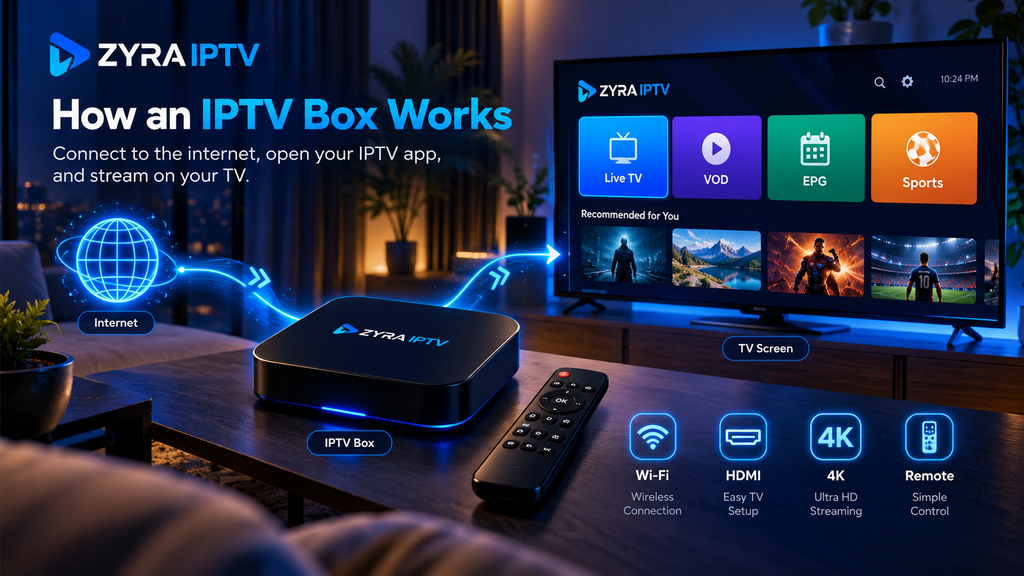
The basic process looks like this:
- The box connects to your television.
- It connects to your home network.
- An IPTV app or provider interface loads your account.
- You select a live channel or on-demand programme.
- The device receives and decodes the video stream.
- The picture and audio are sent to your TV.
Modern streaming hardware commonly connects through HDMI and can use Wi-Fi or Ethernet. Google’s current setup documentation, for example, lists Wi-Fi or Ethernet as connection options for Google TV devices and instructs users to select the HDMI input when an external device is connected to a television. Google Help
What Are IPTV Boxes?
The term IPTV box can describe several types of set-top hardware.
| Type | How it is generally used |
|---|---|
| Provider box | Supplied or configured for a particular TV service |
| Android TV or Google TV box | Runs compatible television and streaming apps |
| Portal-based IPTV box | Connects through a provider portal or registered device configuration |
| General streaming box | Can sometimes be used for IPTV when compatible apps are available |
These categories can overlap.
For example, an Android TV box is not automatically an IPTV subscription device. However, if it supports an appropriate IPTV player, it can be used as part of an IPTV setup.
Google confirms that Google TV devices can install apps for streaming and entertainment services through the platform when those apps are available. Google Help
What Do You Need to Use an IPTV Box?
Buying a box alone is not enough.
A typical setup requires:
- a television with a suitable input
- an IPTV or streaming box
- an internet connection
- a compatible IPTV app or player
- account credentials or playlist information
- an authorized IPTV service or content source
Depending on the provider, your account information could include a username, password, server URL, M3U playlist, portal information, or another supported login format.
Do not assume that every box supports every login method.
If you are unfamiliar with the setup process, the Zyra IPTV installation guides provide separate installation paths for supported devices.
How Is an IPTV Box Connected to a TV?
Most current external streaming boxes connect to a television through HDMI.
A typical installation involves:
- Connect the IPTV box to power.
- Connect the box to an available HDMI port.
- Select the corresponding HDMI input on the TV.
- Connect the box to Wi-Fi or Ethernet.
- Complete the device setup.
- Install or open the appropriate IPTV application.
- Enter your account information.
Exact steps depend on the hardware and software.
Google’s current documentation for its Google TV Streamer confirms that the device works with displays that have an HDMI connection, while available video resolution also depends on the capabilities of the television and the content being streamed. Google Help
Does an IPTV Box Come With Channels?
Not necessarily.
This is one of the most important distinctions for beginners.
The box is hardware. The IPTV player is software. The IPTV service or playlist supplies the content.
A box may arrive with applications already installed, but that does not automatically mean it includes a television subscription.
You may still need to enter information supplied by your IPTV provider before live television or VOD becomes available.
If channel selection is important to you, check a provider’s current IPTV channel information separately rather than assuming the hardware determines what you can watch.
IPTV Box vs Smart TV App
You may not need an external box if your Smart TV already supports the application required by your IPTV service.
A Smart TV can run streaming software directly through its operating system.
An external box gives the television a separate streaming platform.
A Smart TV app may be enough when:
- your required IPTV player is available
- the television performs well
- the interface is responsive
- you do not need additional hardware features
An IPTV box may make sense when:
- the required app is unavailable on your TV
- your television’s software is old or slow
- you want a separate streaming interface
- you need connectivity options not available on the TV
- you prefer controlling IPTV from dedicated hardware
Before purchasing anything, check whether your existing television can already handle the setup.
The Smart TV IPTV guide is a useful starting point for television-based installation.
IPTV Box vs Streaming Stick
An IPTV box and a streaming stick can perform similar tasks when both support the required application.
The physical design is the obvious difference. A stick is usually compact and connects directly to an HDMI port, while a box normally sits near the television.
Boxes may also provide additional ports or connectivity options depending on the model.
However, the word “box” does not automatically mean better streaming performance.
What matters is whether the device supports:
- your IPTV application
- required video codecs
- your television’s resolution
- stable networking
- sufficient processing performance
- software updates
Choose hardware based on compatibility rather than appearance.
What Is an Android IPTV Box?
An Android-based IPTV box is a device that runs Android TV, Google TV, or another Android-based environment and uses compatible apps for playback.
On supported Google TV hardware, users can install available applications from the Apps section of the interface. Google Help
This makes app-based boxes different from provider-locked hardware that may use a dedicated interface.
If you plan to use an Android-based device, review the Android TV IPTV instructions before choosing your player.
What Is a Portal-Based IPTV Box?
Some IPTV boxes use a portal rather than a normal app-based login.
A portal-based setup can involve:
- a portal URL
- device registration
- a MAC address
- provider authentication
Certain set-top boxes are designed specifically around this type of television interface.
This is different from entering an M3U playlist or a username and password into a standard IPTV player.
Do not purchase a portal-focused device until you know your provider supports that connection method.
What Features Can an IPTV Box Support?
Available features depend on the hardware, IPTV player, provider, and subscription.
Possible functions include:
- live TV
- video on demand
- TV series
- EPG
- favourites
- subtitles
- multiple audio tracks
- search
- catch-up TV
- recording
None of these should be assumed simply because a product is labelled an IPTV box.
For example, recording may require provider support, compatible software, and sufficient storage.
Similarly, seeing “4K” on a box does not mean every IPTV stream will be delivered in 4K. Video quality also depends on the source and service.
Does an IPTV Box Need Internet?
Yes, internet-based IPTV requires network connectivity to receive the television stream.
A box can normally connect through Wi-Fi, Ethernet, or whichever network options the hardware provides.
If streaming is unstable over Wi-Fi, testing Ethernet can help determine whether the wireless connection is contributing to the problem.
Google’s troubleshooting documentation also recommends checking router placement and, where available, using a wired connection when addressing streaming connectivity problems. Google Help
Remember that network stability is only one part of playback. The source stream, IPTV application, hardware, and provider can also affect performance.
Do You Need an IPTV Box?
Not always.
You may already have a device capable of running your IPTV setup.
Possible alternatives include:
- Smart TV
- Android TV television
- streaming stick
- smartphone
- tablet
- computer
- Apple TV or another supported media device
An IPTV box becomes useful when it solves a specific compatibility or usability problem.
For example, if your television cannot install the player you need, adding compatible external hardware may be more practical than replacing the TV.
If your Smart TV already works well with your IPTV app, buying another box may provide little benefit.
What Should You Check Before Buying an IPTV Box?
Start with compatibility rather than marketing claims.
Check whether the device supports your:
IPTV application: Confirm that the specific player you need is available.
Login method: Check compatibility with the provider’s account, M3U, or portal format.
TV connection: Make sure your television has the required connection, normally HDMI for modern boxes.
Network: Decide whether you require Ethernet, Wi-Fi, or both.
Video formats: Confirm support for the codecs and resolutions you actually use.
Software updates: Choose hardware with a clear update process.
Storage: Consider storage if you plan to install several applications or use features that require local space.
Remote control: Make sure navigation is comfortable for everyday TV use.
Do not choose a device simply because an advertisement promises huge channel libraries. Channel access comes from the television service, not from the processor or HDMI port inside the box.
Frequently Asked Questions
What is IPTV box technology?
An IPTV box is set-top hardware that receives television or video through an IP network, decodes it, and displays it on a connected television using compatible software.
What are IPTV boxes used for?
They can run IPTV players or provider interfaces for watching authorized live TV, VOD, programme guides, and other supported content.
Does an IPTV box give you free TV?
Not automatically. A box is hardware and normally requires a separate authorized service, playlist, or streaming source.
Can I use IPTV without a box?
Yes. Depending on your provider, IPTV may work through a compatible Smart TV, phone, tablet, computer, or streaming device.
Is an Android TV box an IPTV box?
It can function as one if it supports the IPTV application and connection method required by your provider.
Is an IPTV box the same as a cable box?
No. A traditional cable box is designed around a cable television service, while an IPTV box receives television through an IP-based network.
Is an IPTV box better than a Smart TV app?
Not automatically. If your Smart TV already supports the required IPTV application and performs well, an external box may be unnecessary.
Do You Actually Need an IPTV Box?
Understanding what is IPTV box technology makes the decision easier. An IPTV box is simply hardware that connects your television to an IP-based video service and runs the software needed to access that service.
It can be useful when your television lacks the right IPTV application, has limited performance, or when you prefer dedicated streaming hardware. However, many viewers can use IPTV directly through a compatible Smart TV or another device without purchasing an additional box.
Before buying hardware, confirm your IPTV provider’s supported devices, login method, app requirements, and connection options. If you want to explore a current IPTV service and its available setup methods, review Zyra IPTV before deciding which device best fits your television setup.
