
Which box is best for IPTV? For most users, the best choice is a reputable streaming device that supports the IPTV player they want to use, provides reliable network connectivity, and matches their television’s resolution. If you want a balanced current option, the Google TV Streamer (4K) is worth considering because it combines Android TV OS, 4K HDR support, 32 GB of storage, 4 GB of memory, and built-in Gigabit Ethernet. Google Store
That does not make it automatically right for everyone. Apple TV 4K, Amazon Fire TV Cube, and NVIDIA SHIELD TV Pro each have different strengths.
The right IPTV box depends less on a brand name and more on app compatibility, Ethernet support, video formats, storage, performance, and how you plan to use the device.
What Makes a Good IPTV Box?
An IPTV box is external streaming hardware connected to your television, usually through HDMI. It runs an IPTV player or television application and receives content through an internet connection.
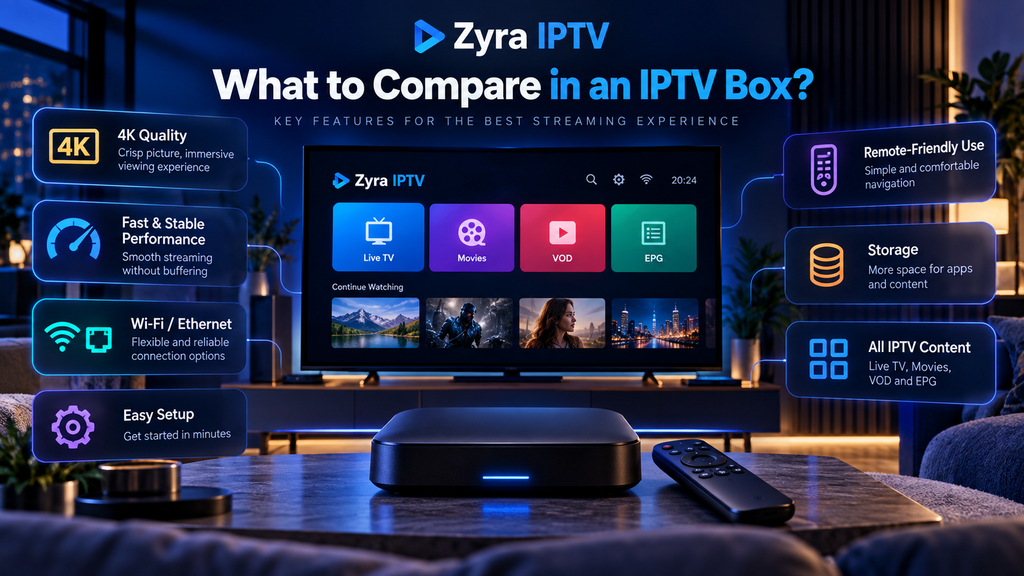
When comparing boxes, focus on practical features:
| Feature | Why it matters for IPTV |
|---|---|
| IPTV app support | Your preferred player must be available |
| Ethernet | Can provide a stable wired connection |
| Wi-Fi | Important when Ethernet is unavailable |
| 4K support | Useful with compatible 4K televisions and streams |
| Video codec support | Determines which video formats the hardware can decode |
| Storage | Provides room for apps and application data |
| Processor and memory | Affect menus, channel navigation and multitasking |
| Software updates | Help keep the device supported over time |
| Remote control | Important for everyday TV navigation |
A powerful box cannot fix a poor source stream or unstable internet service, so hardware is only one part of the IPTV setup.
Google TV Streamer (4K): A Balanced IPTV Box
The Google TV Streamer is a strong general-purpose choice for users who prefer an Android TV environment.
Google lists the device with:
- Android TV OS
- 4 GB memory
- 32 GB storage
- Gigabit Ethernet
- dual-band Wi-Fi
- HDMI 2.1
- up to 4K HDR at 60 frames per second
- Dolby Vision, HDR10, HDR10+ and HLG support Google Store
Built-in Ethernet is especially useful for a main television because you can connect directly to your router instead of relying entirely on Wi-Fi.
Android TV also provides access to applications through Google’s TV platform, although you should always verify that your particular IPTV player is currently available before buying the hardware.
If your planned setup uses Android-based applications, the Zyra IPTV Android TV installation guide can help you understand the setup process before choosing a box.
Apple TV 4K: Strong Hardware for tvOS Users
Apple TV 4K is another capable streaming box, particularly for people already comfortable with Apple’s ecosystem.
Apple’s current specifications list an A15 Bionic processor, support for video up to 2160p at 60 fps, Wi-Fi 6, and 64 GB or 128 GB storage depending on the version. The 128 GB Wi-Fi + Ethernet model also includes Gigabit Ethernet. Apple
The main consideration for IPTV is software.
Apple TV uses tvOS, so the IPTV application you want must be available for that platform. Do not buy Apple TV simply because the hardware is powerful and assume an Android-specific IPTV player will also exist on tvOS.
Apple TV 4K can be a good fit when:
- you already use Apple devices
- your IPTV player has a tvOS version
- you want a polished television interface
- you prefer wired Gigabit Ethernet on the applicable model
Check app compatibility first.
Amazon Fire TV Cube: Useful for Fire TV and Alexa Users
Amazon’s Fire TV Cube combines streaming hardware with Amazon’s Fire TV interface and Alexa features.
The third-generation Fire TV Cube supports 4K video, Wi-Fi 6E, 16 GB internal storage, 2 GB memory, and wired 10/100 Ethernet. Amazon also lists support for HEVC, H.264, AV1, HDR10, HDR10+, HLG and Dolby Vision. Amazon Developer
Amazon confirms that compatible applications and games are obtained through the Amazon Appstore. Amazon DigPRJ Survey
That makes app availability an important consideration.
A player available on Android TV’s Google Play Store is not automatically available through Amazon’s Appstore.
The Fire TV Cube may suit users who value:
- Wi-Fi 6E
- Alexa voice control
- Fire TV applications
- 4K HDR playback
- an external box rather than a small streaming stick
Its built-in Ethernet is limited to 100 Mbps according to Amazon’s published specifications, whereas Google TV Streamer and the Ethernet version of Apple TV 4K offer Gigabit Ethernet. Amazon Developer
For IPTV alone, however, raw Ethernet speed should not be the only deciding factor.
NVIDIA SHIELD TV Pro: Flexible Hardware for Power Users
NVIDIA SHIELD TV Pro remains another option for users who want additional connectivity and local media features.
NVIDIA currently lists the SHIELD TV Pro with:
- Tegra X1+ processor
- 3 GB RAM
- 16 GB storage
- Gigabit Ethernet
- two USB 3.0 ports
- 4K HDR playback
- Dolby Vision
- Android TV
- Google Play Store access NVIDIA
It also supports a broad range of containers and video formats, including MPEG-TS, MKV and MP4. NVIDIA
The USB ports and expandable storage can be useful for users who run local media alongside IPTV.
However, specifications alone should not determine your choice. SHIELD hardware has been on the market for several years, so compare its current software support and your actual requirements with newer alternatives before purchasing.
IPTV Box Comparison
Here is a practical comparison based on current manufacturer specifications:
| Device | Platform | Ethernet | Storage | Maximum video |
|---|---|---|---|---|
| Google TV Streamer (4K) | Android TV OS | Gigabit | 32 GB | 4K HDR, 60 fps |
| Apple TV 4K | tvOS | Gigabit on Ethernet model | 64 or 128 GB | 4K, 60 fps |
| Fire TV Cube 3rd Gen | Fire OS | 10/100 Mbps | 16 GB | 4K, 60 fps |
| NVIDIA SHIELD TV Pro | Android TV | Gigabit | 16 GB, expandable | 4K HDR, 60 fps |
Specifications are based on current manufacturer documentation. Google Store
Which IPTV Box Is Best for Different Users?
There is no need to choose the most expensive device if a simpler box already supports everything you use.
For a straightforward Android TV setup
Google TV Streamer is a practical choice because it combines a current Android TV platform with built-in Gigabit Ethernet and relatively generous storage.
For Apple users
Apple TV 4K makes sense when your required IPTV player is available on tvOS and you already use Apple’s ecosystem.
For Amazon households
Fire TV Cube is useful if you prefer Fire TV, Alexa and Amazon’s application ecosystem.
For advanced media users
NVIDIA SHIELD TV Pro may be attractive when USB connectivity, expandable storage, Gigabit Ethernet and broader local-media functionality matter.
This is why answering which box is best for IPTV with one universal product name can be misleading. The best device is the one that supports your actual player and viewing setup.
Is Ethernet Better Than Wi-Fi for IPTV?
Ethernet can be useful because it removes some of the variables associated with wireless signal strength and interference.
That does not mean Wi-Fi cannot work well.
Modern streaming boxes can provide capable wireless networking, and the Fire TV Cube, for example, supports Wi-Fi 6E. Google TV Streamer supports dual-band Wi-Fi and also provides a built-in Ethernet port. Amazon Developer
If your router is close to the television and Wi-Fi is stable, a wired connection may not be necessary.
If you regularly experience unstable playback, testing Ethernet can help determine whether the local wireless connection contributes to the problem.
Do You Need a Box If You Have a Smart TV?
Not necessarily.
If your Smart TV already supports the IPTV player you need and performs well, adding another streaming device may offer little benefit.
An external box becomes more useful when:
- your television does not support the required app
- the Smart TV interface is slow
- you want Ethernet connectivity
- you need additional storage
- you prefer a different app ecosystem
- your television’s software is no longer receiving useful updates
Before spending money on another device, review the Smart TV IPTV setup options to see whether your existing TV can already handle the service.
What About Cheap Generic Android Boxes?
Low-cost Android boxes vary considerably.
A product being advertised as “Android” or “4K” does not tell you whether it receives regular updates, supports the applications you need, or includes suitable video decoding and networking hardware.
Before buying an unfamiliar model, verify:
- manufacturer support
- operating system version
- official app store access
- Ethernet specifications
- Wi-Fi specifications
- codec support
- available storage
- software update policy
Be particularly cautious about boxes advertised as already containing large collections of premium television channels. The box itself should not be confused with the content subscription.
Does More RAM Stop IPTV Buffering?
Not necessarily.
Additional memory can improve application responsiveness and multitasking, but buffering can have many other causes.
Possible factors include internet speed, Wi-Fi quality, server performance, video bitrate, player configuration and source-stream quality.
A device with more RAM cannot compensate for every network or service problem.
Similarly, buying a more powerful processor will not automatically improve a poorly delivered stream.
If you are setting up a new device, use the IPTV installation guides to configure the player correctly before diagnosing performance problems.
Frequently Asked Questions
Which box is best for IPTV?
For many users, a current Android TV device with built-in Ethernet, adequate storage and support for the required IPTV player is a practical choice. Google TV Streamer (4K) fits those criteria, but Apple TV 4K, Fire TV Cube and NVIDIA SHIELD TV Pro may be more suitable for different ecosystems and requirements.
Is Google TV good for IPTV?
It can be, provided the IPTV application you need is available for Android TV and supports your provider’s login method.
Is Apple TV good for IPTV?
Apple TV 4K has capable hardware, but you should confirm that your required IPTV player is available for tvOS before choosing it.
Is Ethernet important for IPTV?
It can improve connection consistency in environments where Wi-Fi is weak or congested. A stable wireless connection can also work well.
Do I need 4K for IPTV?
Only if you have a 4K television and actually watch content supplied at a compatible 4K resolution. A 4K box cannot turn every stream into native 4K.
Is a streaming stick enough for IPTV?
It can be. If the stick supports your IPTV application, video formats and network requirements, a larger box is not automatically necessary.
Choosing the Right IPTV Box
When deciding which box is best for IPTV, start with app compatibility rather than processor specifications or advertising claims.
For a balanced Android TV setup, Google TV Streamer offers a useful combination of 4K HDR support, Gigabit Ethernet, 32 GB storage and a current Android TV platform. Apple TV 4K is a strong alternative for tvOS users, Fire TV Cube suits the Amazon ecosystem, and NVIDIA SHIELD TV Pro provides additional connectivity for more advanced setups.
Before buying any hardware, confirm that it supports your preferred IPTV player and login method.
If you are preparing a new television setup, you can review Zyra IPTV and its current installation information to determine which type of streaming device fits your setup.
