
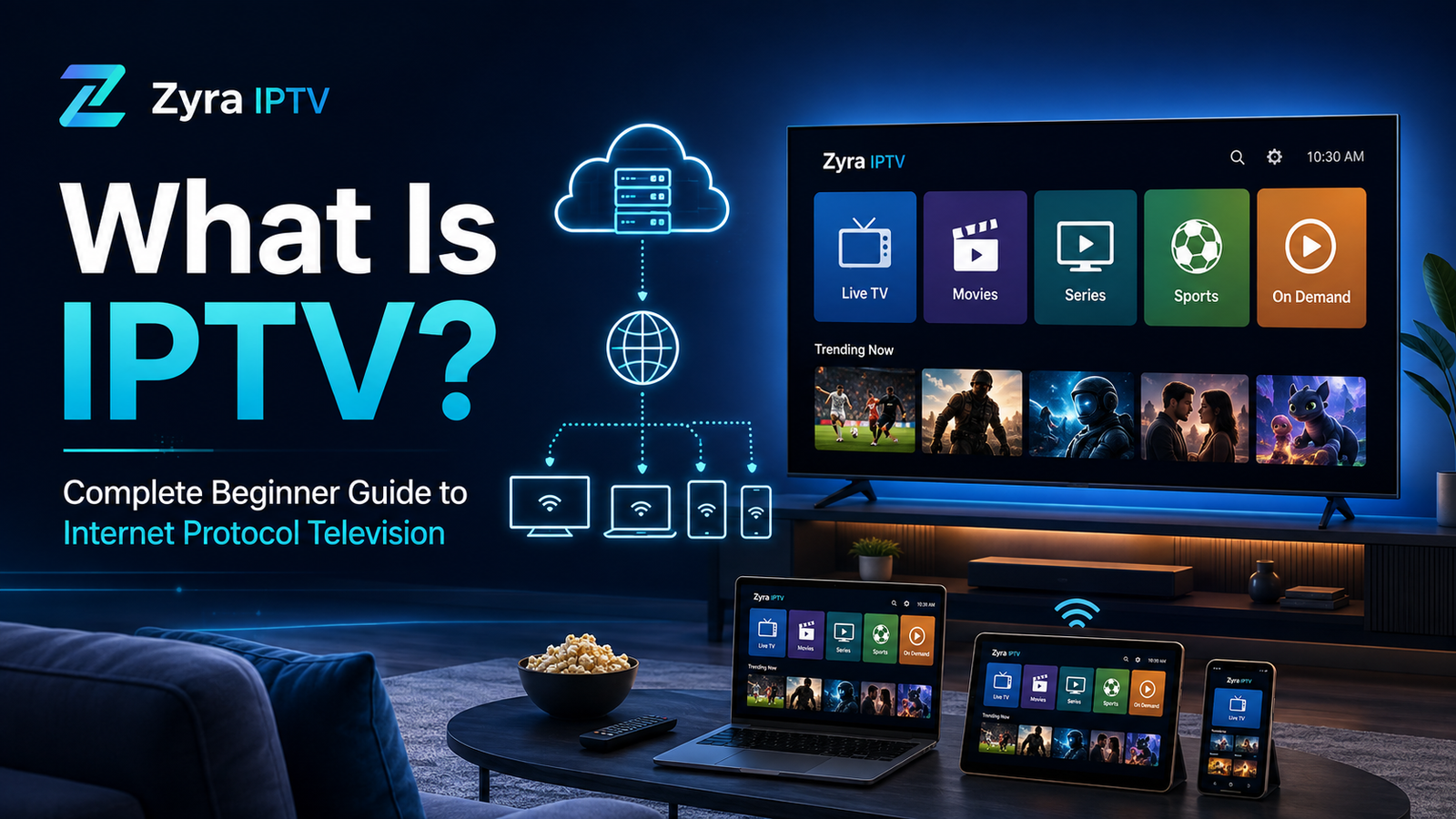
If you have heard people talking about IPTV and wondered what it actually means, the basic idea is simple. IPTV stands for Internet Protocol Television, a method of delivering television and video content through IP-based networks rather than relying only on traditional cable, satellite, or terrestrial broadcasting.
Depending on the service, IPTV can provide live television, movies, TV series, video on demand, programme information, and other interactive features. You usually access the content through an internet-connected device and a compatible IPTV app or player.
This beginner guide explains what IPTV is, how it works, what equipment you may need, and how it differs from other ways of watching television.
What Does IPTV Stand For?
IPTV means Internet Protocol Television.
“Internet Protocol” refers to the technology used for transmitting data between devices across IP networks. Instead of receiving television solely as a conventional broadcast signal, an IPTV system delivers video as digital data.
The International Telecommunication Union defines IPTV more specifically in the context of multimedia services delivered over IP-based networks that are managed to support factors such as quality of service, security, interactivity, and reliability.
In everyday consumer language, however, people often use the term IPTV more broadly when discussing television services delivered using an internet connection.
So, when someone asks “what’s IPTV?”, the simplest answer is:
IPTV is television delivered using Internet Protocol technology rather than a traditional broadcast-only delivery system.
How Does IPTV Work?
Traditional television and IPTV can display similar content, but the way that content reaches your screen is different.
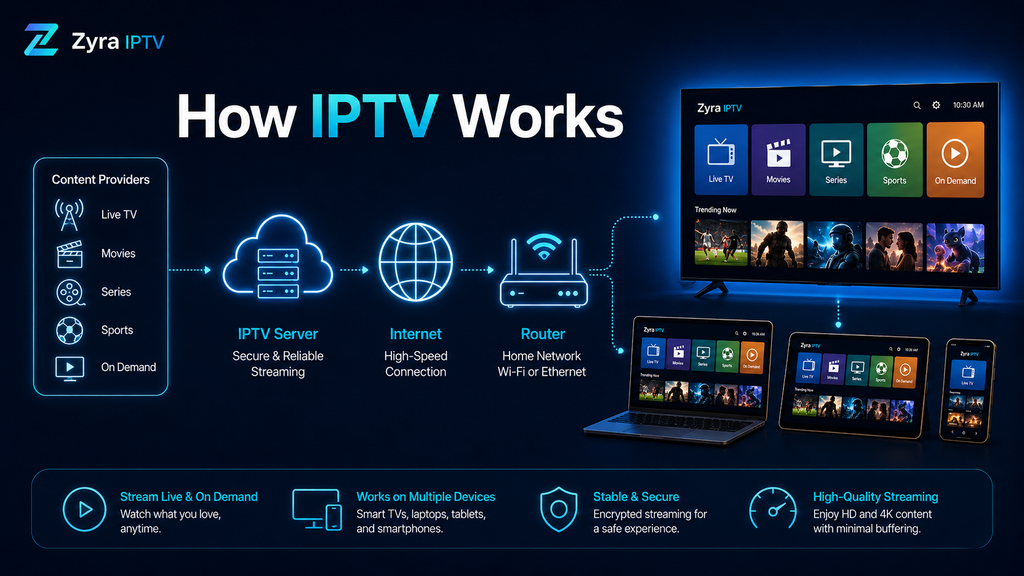
With IPTV, television content is converted into digital data and delivered across an IP network. Your device or IPTV player receives the stream and turns that data into the video and audio you watch.
A simplified IPTV process looks like this:
- A television or video source is prepared for digital delivery.
- The IPTV platform makes the relevant stream or on-demand content available.
- Your IPTV app or device requests the content you select.
- Video data travels through the network to your device.
- Your IPTV player processes the stream and displays it on your screen.
This happens continuously while you watch.
Live television may involve technologies designed for real-time delivery, while video-on-demand services normally send the selected programme specifically when a viewer requests it. IPTV standards can support both linear television and video-on-demand services.
What Can You Watch With IPTV?
The exact content depends entirely on the IPTV service being used.
An IPTV platform may provide:
- live television channels
- live sports
- news
- movies
- TV series
- video-on-demand content
- programme guides
- catch-up or replay features
Not every IPTV service includes every feature. Channel availability, video quality, catch-up functionality, EPG support, and on-demand libraries vary between providers.
If you are comparing available programming, a provider’s IPTV channel information is more useful than assuming that every IPTV subscription offers the same lineup.
IPTV vs Cable, Satellite, and Streaming Services
IPTV is sometimes described simply as “internet TV”, but the terminology can become confusing because many modern services use internet-based video delivery.
Here is a simple comparison:
| Method | How content reaches you | Typical experience |
|---|---|---|
| IPTV | IP-based network | Live TV, on-demand video, programme guides, depending on the service |
| Cable TV | Physical cable network | Scheduled television and provider features |
| Satellite TV | Satellite signal and dish | Scheduled television and provider features |
| Terrestrial TV | Broadcast signal and antenna | Local or national broadcast channels |
| On-demand streaming | Internet connection | Mainly user-selected movies, series, and other video |
The boundaries are not always perfect. Modern television platforms frequently combine technologies, and IPTV itself covers several different network architectures.
The important point is that IPTV describes how television content is delivered, not one particular company, app, subscription, or device.
Is IPTV the Same as Netflix or Other Streaming Apps?
Not exactly.
Both IPTV and services such as conventional streaming platforms can deliver video using internet technology, but their service models may be different.
IPTV often focuses more heavily on television-style experiences such as:
- live channels
- scheduled programmes
- electronic programme guides
- channel switching
- catch-up television
- video on demand
A typical on-demand streaming platform is usually centred on choosing individual movies, episodes, or videos from a catalogue.
There is considerable overlap, so it is more accurate to think of IPTV as a television delivery technology rather than simply another name for every streaming service.
What Do You Need to Use IPTV?
A basic IPTV setup normally involves several components.
An Internet or Network Connection
The video data has to reach your device through a network connection.
Streaming performance can be affected by available bandwidth, Wi-Fi conditions, network congestion, the selected video quality, the IPTV platform, and the device being used.
Higher-resolution video generally requires more network capacity than lower-resolution video.
A Compatible Device
Depending on the IPTV service and player, viewing devices can include:
- Smart TVs
- Android TV devices
- smartphones
- tablets
- computers
- streaming media devices
- dedicated set-top boxes
Compatibility should always be checked with the service and app rather than assumed.
Zyra IPTV provides separate instructions for users who need help with Smart TV IPTV setup and Android TV IPTV setup.
An IPTV App or Player
An IPTV player is the software that loads and displays the television stream.
An important distinction for beginners is that an IPTV player and an IPTV service are not necessarily the same thing. A player may simply provide the interface needed to use access information supplied by a service.
Service or Access Details
Depending on the platform, access may be provided through login credentials, a playlist, a server address, a portal, or another supported configuration method.
The exact setup process varies. The IPTV installation guides provide device-specific starting points instead of applying one setup method to every platform.
Common IPTV Terms Beginners Should Know
You will probably encounter several terms when researching IPTV.
IPTV Player
Software used to load, organise, and display IPTV streams.
M3U
M3U is a playlist format that can contain references to media streams. Some IPTV systems use an M3U URL or file to make available streams accessible through compatible software.
An M3U playlist itself is not the television service. It is a way of organising or referencing media locations.
EPG
EPG stands for Electronic Programme Guide.
It provides schedule information similar to the television guide found on traditional cable or satellite systems. EPG availability and accuracy depend on the service and configuration.
VOD
VOD means Video on Demand. Instead of joining a live programme already in progress, you select available content and begin watching it when you choose.
Live TV
Live IPTV streams are intended to show programming as it is being transmitted, similar to traditional live television.
Catch-Up TV
Some services provide access to previously broadcast programmes for a limited period. This feature is not automatically included with every IPTV service.
Does IPTV Require a Special Box?
Not necessarily.
Some IPTV systems use dedicated set-top boxes, but IPTV can also be delivered through compatible televisions, computers, phones, tablets, and other connected devices.
Whether you need additional hardware depends on the service, your existing device, and the software required to access it.
This is why checking compatibility before choosing an IPTV setup is important.
What Causes IPTV Buffering?
Buffering occurs when the player does not receive enough video data in time to continue playback smoothly.
Several factors can contribute, including:
- an unstable internet connection
- weak Wi-Fi coverage
- network congestion
- insufficient available bandwidth
- problems with the streaming source
- device or application performance
- unnecessarily high video quality for the current connection
Using a reliable network connection and keeping the device and IPTV software properly configured can help reduce connection-related playback problems, although no setup can guarantee completely buffer-free streaming.
Is IPTV Legal?
IPTV is a television delivery technology, so the technology itself should not be confused with the licensing status of the content delivered through a particular service.
A legitimate television provider can use IP technology to distribute properly licensed content. Problems arise when copyrighted television, movies, sports, or other media are distributed without the necessary rights or permissions.
Copyright rules and enforcement differ between Australia, the United States, Canada, and other jurisdictions. Users should evaluate the service they are considering and follow the applicable rules where they live rather than assuming that every service described as IPTV has the same legal status.
How Do You Start Using IPTV?
For a beginner, the process can be kept simple:
- Check your internet connection and viewing device.
- Determine which IPTV applications are compatible with your device.
- Choose an appropriate IPTV service and review what it actually provides.
- Install the required player or application.
- Enter the access information supplied for your account.
- Test playback and adjust your network or application settings if necessary.
Avoid downloading random applications or playlists simply because they are labelled “IPTV”. Understand what software you are installing, where the content comes from, and what service is responsible for providing it.
Frequently Asked Questions About IPTV
What is IPTV in simple terms?
IPTV is a way of delivering television and video through Internet Protocol networks rather than relying solely on cable, satellite, or terrestrial broadcasting.
What does IPTV stand for?
IPTV stands for Internet Protocol Television.
What is an IPTV service?
An IPTV service is a platform that uses IP-based delivery to provide television or video content. Its available channels, features, devices, and content rights depend on the individual provider.
Do I need an IPTV player?
Some IPTV setups require a separate player, while others use a dedicated application or set-top box supplied by the service. It depends on how the platform is designed.
Is IPTV only for live TV?
No. IPTV systems can support linear live television as well as video-on-demand and other interactive services.
Is IPTV the same as internet TV?
The terms are frequently used interchangeably in everyday conversation, but IPTV can have a more specific technical meaning, particularly when referring to managed IP-based television networks.
Understanding IPTV Before You Choose a Service
IPTV is easier to understand once you separate the technology from the products built around it. It simply describes a way of delivering television and multimedia through IP-based networks. The actual viewing experience depends on the provider, available content, application, device, and network connection.
Before choosing any service, check its content, device requirements, setup method, and relevant terms rather than assuming that all IPTV platforms work the same way.
If you want to explore available IPTV options after learning the basics, you can visit Zyra IPTV and review the service information and setup resources for your preferred device.
