
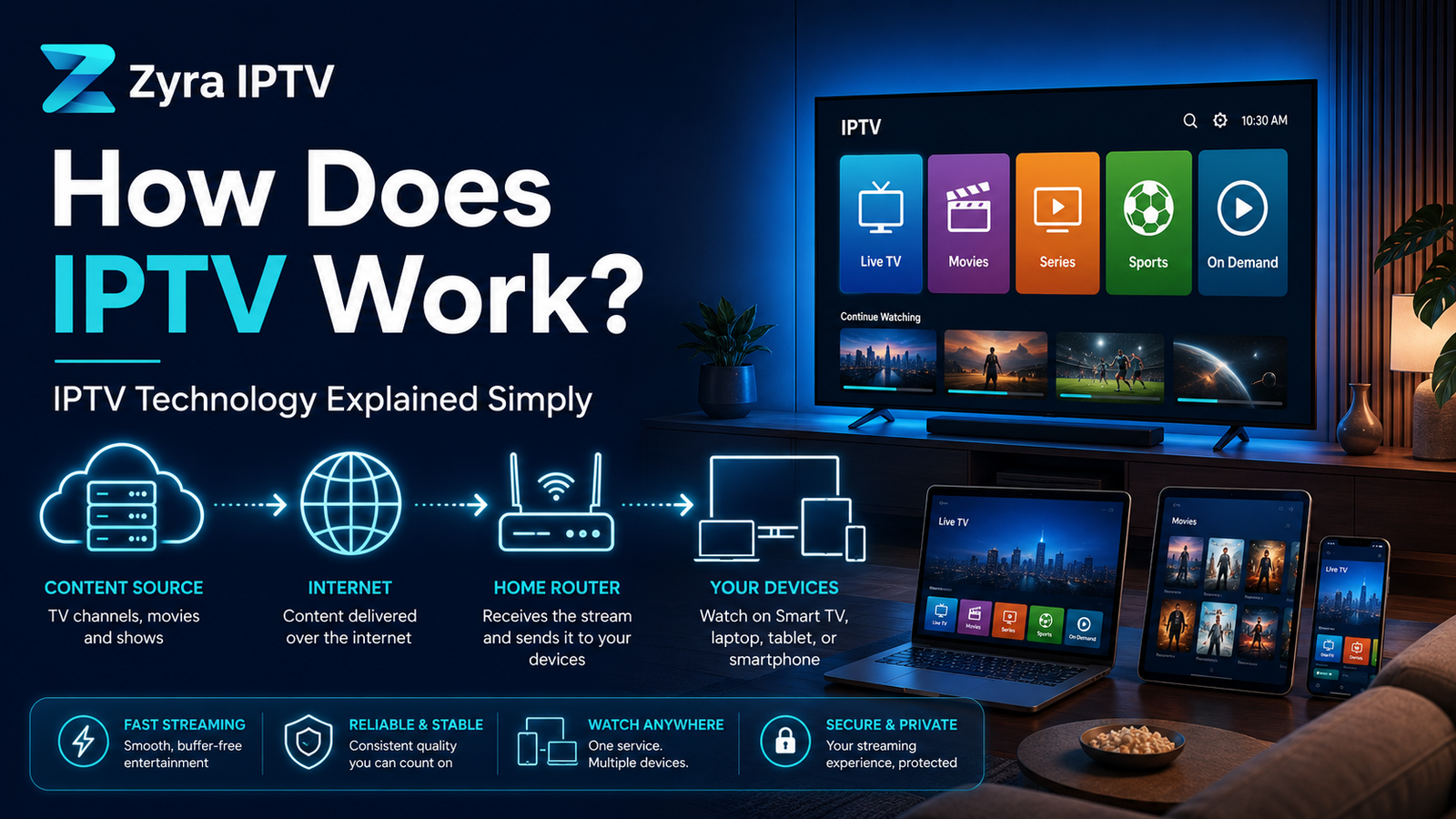
How does IPTV work? In simple terms, television content is converted into digital video, delivered through an IP-based network, received by an IPTV app or device, and decoded into the picture and sound you watch.
Behind that simple process are several stages, including content acquisition, video encoding, servers, network delivery, authentication, buffering, and playback. You do not need to understand all of the technical details to use IPTV, but knowing what happens between the source and your screen makes IPTV much easier to understand.
If you are unfamiliar with the term itself, Zyra IPTV’s beginner guide to what IPTV is explains the basic definition and terminology.
What Is IPTV and How Does It Work?
IPTV stands for Internet Protocol Television. Instead of relying only on traditional terrestrial, satellite, or cable transmission, IPTV uses Internet Protocol technology to deliver television and multimedia content.
In formal telecommunications standards, IPTV is associated with multimedia services delivered through IP-based networks designed to support requirements such as quality of service, interactivity, security, and reliability. In everyday use, however, people often use “IPTV” more broadly when referring to television delivered through an internet-connected network.
The easiest way to understand how IPTV works is to follow a programme from its original source to the viewer.
How IPTV Works Step by Step
1. Television Content Enters the IPTV System
Everything starts with content.
For live TV, the source might be a television channel or another live video feed. Movies, TV series, and other video-on-demand content may already exist as stored digital files.
The IPTV platform first needs to receive or ingest this content before it can make it available to viewers.
2. Video Is Encoded and Compressed
Raw video can require a large amount of data, so it is normally encoded into a format suitable for digital distribution.
Encoding compresses the video so that it can travel across a network more efficiently while retaining an appropriate level of picture and sound quality.
Common television and streaming systems use video compression standards to reduce the amount of data that must be transmitted. The exact codec, resolution, bitrate, and encoding method depend on the platform rather than IPTV having one universal format. APNIC’s technical explanation of IPTV describes transcoding as an important stage between television content and IP delivery.
3. The IPTV Platform Organises the Content
Once prepared, content has to be organised and made available to users.
An IPTV platform can include servers and software responsible for functions such as:
- organising live channels
- storing on-demand video
- processing user requests
- managing authorised access
- supplying programme information
- directing devices to the appropriate stream
This is also where terms such as EPG, middleware, playlists, and authentication often appear.
An EPG, or Electronic Programme Guide, contains information about television schedules. A playlist such as an M3U may contain references to streams that a compatible player can read. Neither feature is required to work identically across every IPTV system.
How Does IPTV Send Live TV to Viewers?
This is one of the most important parts of IPTV technology.
IP networks can deliver video in different ways. Two terms commonly associated with IPTV are multicast and unicast.
Multicast for Live Television
In a managed IPTV network, multicast can be used for linear live television.
With multicast, a network can distribute one stream efficiently to multiple viewers who are watching the same channel instead of generating an entirely separate source stream for every viewer.
ITU standards describe multicast as a technology that can be used in managed IPTV networks for live broadcast services.
When a viewer changes channels in such a system, the network can switch which television stream is being delivered to that subscriber.
Unicast for Individual Requests
Unicast works differently. It creates a one-to-one data flow between a server and a viewer.
This makes it particularly suitable for video on demand because different viewers may choose different programmes and start them at different times.
Modern IP video systems can use combinations of multicast, unicast, HTTP-based streaming, and other delivery technologies. IPTV should therefore not be understood as one single protocol. ITU guidance distinguishes between linear and non-linear IPTV services and notes the use of both unicast and multicast approaches.
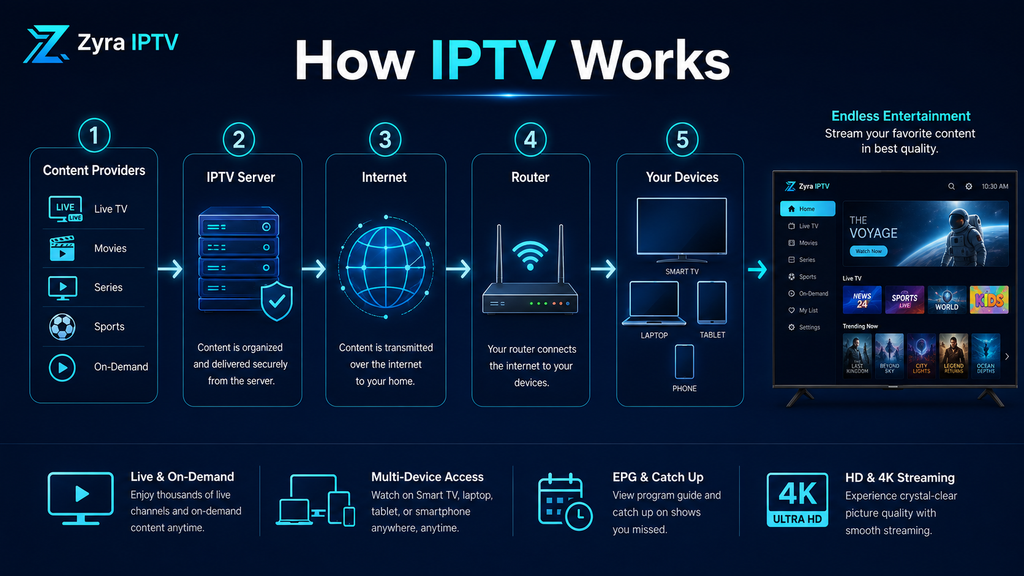
What Happens When You Select a Channel?
From the viewer’s perspective, the process is much simpler.
You open an IPTV application or interface and choose a channel or programme. The application uses the information available to it to locate or request the appropriate stream.
A simplified sequence looks like this:
- You select a live channel or on-demand programme.
- The app or device sends the required request.
- The IPTV system identifies the appropriate stream.
- Video data travels through the network.
- Your device receives and buffers part of the stream.
- The IPTV player decodes the video and audio.
- The programme appears on your screen.
These steps happen quickly and continue in the background while you watch.
What Does an IPTV Player Actually Do?
An IPTV player is the software responsible for receiving and presenting the content to the viewer.
Depending on how the service is configured, a player may handle:
- stream playback
- channel navigation
- playlist information
- EPG data
- video decoding
- subtitles
- playback controls
- buffering
The IPTV player should not automatically be confused with the IPTV service itself. A player can simply be software used to access streams or credentials supplied separately.
The same principle applies to M3U playlists. An M3U file or URL can tell compatible software where media streams are located, but the playlist itself is not automatically an IPTV provider.
What Devices Can Receive IPTV?
An IP-based television service ultimately needs a device capable of receiving and displaying its content.
Depending on the service, application, and supported configuration, that endpoint might be a television, set-top box, computer, mobile device, or audiovisual media player. ITU IPTV specifications recognise several types of terminal devices capable of processing and presenting multimedia content.
For the viewer, the exact installation process depends heavily on the chosen platform. Zyra IPTV’s IPTV installation guides cover device-oriented setup information, while the Smart TV IPTV setup guide focuses specifically on television installation.
Why Does IPTV Buffer?
Buffering is closely connected to the way streaming video works.
Before displaying video, the player normally keeps a small amount of incoming data available so that playback can continue even if delivery briefly fluctuates.
If the player consumes video data faster than new data arrives, playback may pause while the buffer fills again.
Possible causes include:
- limited available bandwidth
- unstable Wi-Fi
- network congestion
- problems with the stream source
- device performance
- application problems
- competing network traffic
- video quality that requires more data than the connection can consistently provide
This is why buffering cannot accurately be blamed on internet speed alone. Several parts of the delivery chain can affect playback.
IPTV vs Traditional Television Delivery
The main difference is the delivery network.
| Technology | Basic delivery method |
|---|---|
| IPTV | Television delivered through IP-based networks |
| Cable TV | Television distributed through cable infrastructure |
| Satellite TV | Television transmitted by satellite |
| Terrestrial TV | Television broadcast over radio frequencies to an antenna |
Traditional broadcast systems distribute linear television signals through dedicated broadcast infrastructure. IPTV makes television part of an IP-based environment where content, network requests, programme data, and interactive features can work together.
This two-way communication is particularly useful for services such as video on demand because the viewer can request a specific programme instead of simply tuning into a continuously broadcast schedule.
Does IPTV Work the Same as Regular Internet Streaming?
Not always.
Internet streaming and IPTV share many technologies, but the terms are not technically identical.
Traditional telecom IPTV often refers to a managed network in which the operator has greater control over delivery and network performance. OTT streaming typically delivers content across the public internet without requiring a dedicated IPTV network.
The distinction has become less obvious for consumers because both can ultimately appear as video apps on an internet-connected screen. ITU documentation specifically distinguishes traditional managed IPTV from over-the-top live streaming that relies on the internet rather than a dedicated IPTV network.
Frequently Asked Questions
How does IPTV work in simple terms?
IPTV converts television into digital data and sends it across an IP network. Your app or device receives the stream, decodes it, and displays the video and audio on your screen.
Does IPTV send every channel to my device?
Not necessarily. IPTV delivery methods can send or make available the specific stream being requested. Managed live IPTV can also use multicast so that one network stream efficiently serves multiple viewers watching the same channel.
Does IPTV need a satellite dish?
IPTV itself uses IP-based network delivery rather than requiring television reception through a satellite dish. The equipment needed by the viewer depends on the particular service and device configuration.
What is the difference between live IPTV and VOD?
Live IPTV delivers a linear television stream that follows an ongoing schedule. Video on demand allows a viewer to select available stored content and start it individually.
Is an M3U file how IPTV works?
An M3U playlist can be part of some IPTV setups, but it is not the underlying IPTV technology. It mainly provides references that compatible software can use to locate media streams.
Understanding the IPTV Delivery Process
The answer to how does IPTV work becomes straightforward once you break the system into stages: content enters the platform, video is encoded, servers and software organise it, an IP network delivers the requested stream, and an IPTV player turns the incoming data into television on your screen.
The exact technology can vary considerably between managed IPTV networks, internet-delivered services, live television, and video-on-demand platforms. That is why IPTV should be understood as a broad IP-based television delivery system rather than one specific app, playlist format, or device.
If you understand the technology and want to explore the service and available setup resources, you can review Zyra IPTV for more information.
