
If you want to know how to watch Indian channels in Australia, you have several options, including licensed Indian streaming platforms, IPTV services with authorized Indian programming, broadcaster apps, Smart TV applications and selected free streaming services.
The right option depends on what you actually want to watch. Someone interested mainly in Hindi entertainment may need a different service from a household looking for Tamil, Telugu, Malayalam, Punjabi or Bengali channels. Live television, movies, cricket and catch-up programmes can also be licensed separately, so one platform may not include everything.
Before subscribing, check the current Australian channel lineup, device compatibility and regional availability rather than assuming that a service available in India will work in Australia.
Can You Watch Indian TV Channels in Australia?
Yes. Indian television is available in Australia through internet-based streaming services and other authorized distribution platforms.
YuppTV currently maintains a dedicated Australia page for Indian television and lists language categories including Hindi, Tamil, Telugu, Malayalam, Kannada, Bengali, Marathi, Punjabi and Gujarati.
However, channel availability can change because international television rights are often licensed by country.
This means a channel or programme available through an Indian subscription may not necessarily be included in the Australian version of the same platform.
Always check the provider’s Australian lineup before paying.
1. Use a Licensed Indian TV Streaming Service
For viewers who want multiple Indian live channels in one place, a streaming service designed for international audiences is often the simplest starting point.
A service may combine:
- live Indian TV
- regional-language channels
- movies
- television shows
- catch-up programming
- news
- selected sports
YuppTV is one current example with an Australia-specific Indian TV offering. Its channel directory covers multiple Indian languages rather than only Hindi programming.
Do not choose a service based only on the total number of channels advertised. Check whether the specific channels and languages your household actually watches are currently available in Australia.
2. Check Official Broadcaster and OTT Apps
You may not need a full live-TV package if you mainly watch programmes from a particular broadcaster.
Indian streaming platforms can provide movies, series, television programmes and sometimes live channels, but international availability varies.
ZEE5, for example, states that content licensing is country-specific and that an India subscription does not automatically work abroad. Users outside India need to check the subscription available for their local region.
This is an important point for any Indian streaming application.
Before subscribing from Australia, check:
- whether the service officially operates in Australia
- whether your preferred programme is included locally
- whether live channels are included or only on-demand content
- which devices the Australian service supports
A familiar app name does not guarantee that its Indian catalogue is available in Australia.
3. Watch Indian Channels Through IPTV
IPTV delivers television using an internet connection rather than a traditional terrestrial or satellite signal.
For Australian viewers, an IPTV service can be convenient when it legitimately carries the Indian channels they want and supports their preferred device.
The viewing process is generally:
Internet connection > IPTV service > compatible IPTV app or player > television or device
Depending on the service, access may be provided through a dedicated application, account login or another supported setup method.
Before subscribing, verify the actual channel lineup and make sure the channels you want are available for your region.
Do not assume that every service advertising “Indian IPTV” carries the same Hindi, Tamil, Telugu or other regional channels.
4. Watch Indian Channels on a Smart TV
A Smart TV can be one of the most convenient ways to watch Indian television because compatible streaming applications can run directly on the television.
The exact installation process depends on:
- TV brand
- operating system
- app availability
- streaming provider
- country or app-store region
Start by checking whether your chosen service has an official app for your television.
If it does, install the app through the TV’s official app store and sign in using your subscription details.
If you are setting up IPTV on a television, the Smart TV IPTV guide explains the broader installation process.
Avoid downloading random television applications or installation packages from unknown websites simply because the app you want is not visible in your TV’s store.
5. Use Android TV or a Streaming Device
Android TV and Google TV devices can provide another way to access Indian television services.
You can search the device’s official app store for the streaming platform you plan to use and check whether it is available in Australia.
A typical setup involves:
- connecting the TV or streaming device to the internet
- opening the official app store
- installing the supported streaming application
- signing in
- selecting live TV or on-demand content
For IPTV-specific configuration, see the Android TV setup guide.
Remember that application availability and device compatibility can change, so verify current support before purchasing hardware specifically for one streaming platform.
6. Watch Indian TV on a Phone or Tablet
Mobile streaming is useful if you want Indian programming without being tied to the television.
Depending on the service, you may be able to watch through:
- iPhone
- iPad
- Android phone
- Android tablet
- mobile browser
Install the provider’s official application from your device’s app store rather than using unofficial copies.
For iPhone and iPad users configuring an IPTV service, the iOS IPTV setup guide covers common installation approaches.
Some services may restrict simultaneous streams or the number of registered devices, so review your subscription terms before using one account across several screens.
7. Look for Free Indian Content in Australia
You do not necessarily need a paid live-TV subscription for every type of Indian entertainment.
SBS On Demand currently carries selected Indian and Hindi-language movies in Australia, including Hindi titles available through its streaming service.
This is useful if you mainly want films rather than a full selection of Indian live television channels.
Official broadcaster YouTube channels may also make certain clips, news broadcasts, episodes or other programmes publicly available, depending on rights and location.
Free services usually provide a smaller and different catalogue than a dedicated Indian television package, so decide whether you need live channels or simply Indian-language entertainment.
8. Choose the Languages You Actually Watch
Indian television covers many languages, and choosing a service by language can make comparison much easier.
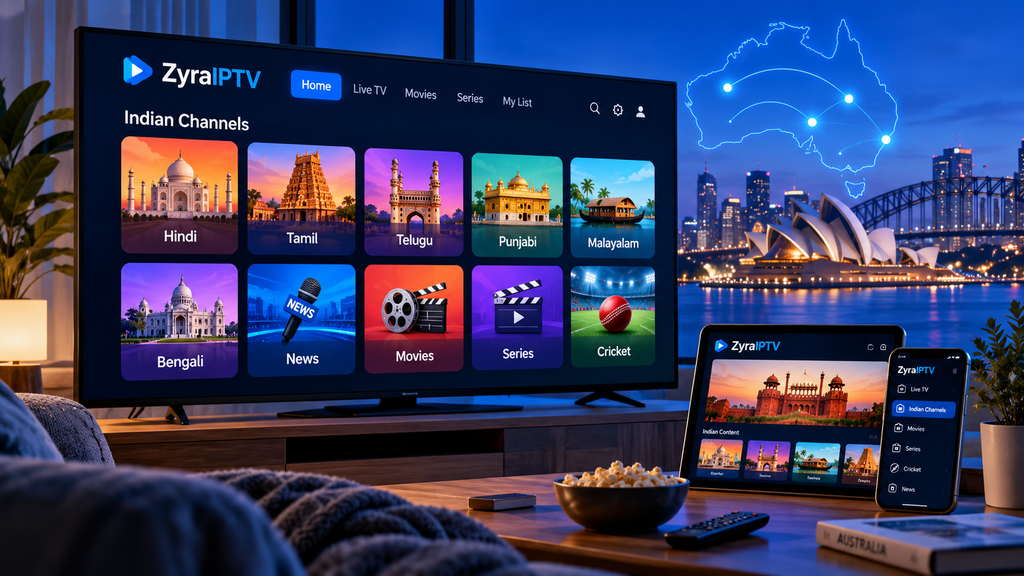
Common categories available through international Indian TV platforms can include:
| Language | Content you may look for |
|---|---|
| Hindi | Entertainment, news, movies, reality TV |
| Tamil | Serial dramas, movies, news, entertainment |
| Telugu | Entertainment, movies, serials, news |
| Malayalam | Family shows, movies, news |
| Punjabi | Music, entertainment, news |
| Bengali | Drama, entertainment, news |
| Kannada | Entertainment, serials, films |
| Marathi | Regional entertainment and news |
YuppTV’s current Australian page specifically lists multiple language categories, including Hindi, Tamil, Telugu, Malayalam, Kannada, Bengali, Marathi, Punjabi and Gujarati.
A household that watches several languages may prefer one multi-language service, while someone interested in only one broadcaster may be better served by a dedicated app.
9. Check Live Sports Separately
Do not assume that access to Indian entertainment channels automatically includes every cricket match or sporting event.
Sports broadcasting rights are often licensed independently from entertainment programming and can change between tournaments, seasons and countries.
Before subscribing specifically for cricket or another sport, verify:
- the exact tournament
- the Australian broadcaster or streaming rights holder
- whether live matches are included
- whether the service carries only highlights or full live coverage
This is especially important because a platform may carry an entertainment channel while lacking rights to a major sporting event shown elsewhere in India.
10. Check Regional Restrictions Before Paying
Geographic licensing is one of the biggest differences between watching television in India and watching it from Australia.
A platform may offer different:
- channels
- movies
- television series
- sports
- subscription plans
- apps
depending on the country.
ZEE5 explicitly states that subscriptions and content access are region-specific, illustrating why users should choose the Australian offering rather than assuming an India-based account will work overseas.
SonyLIV’s current terms similarly state that available content can vary according to geographical rights and that users should access the service in supported locations.
Checking this before subscribing can prevent paying for a service that does not contain the content you expected.
11. What Internet Connection Do You Need?
Internet TV depends on a stable connection.
Instead of focusing only on the maximum speed advertised by your internet provider, consider connection stability.
For television viewing:
- place the router where Wi-Fi reception is strong
- use Ethernet when practical
- avoid excessive simultaneous downloads
- keep streaming apps updated
- test another device if buffering occurs
If several streaming services buffer at the same time, investigate your home network before assuming the Indian TV service is responsible.
Higher-quality video generally requires more bandwidth than lower resolutions, but the exact requirement depends on the service and stream.
12. How to Choose an Indian TV Service in Australia
Before paying for a subscription, compare services using practical criteria.
Check:
Australian availability: Is the service officially offered to Australian viewers?
Channel list: Are your required channels currently included?
Languages: Does it cover the regional languages you watch?
Live vs on-demand: Are you getting actual live channels, catch-up programmes or only a movie library?
Device support: Will it work on your Smart TV, Android TV, phone or other device?
Sports rights: Does it actually include the event you want?
Subscription terms: Understand renewal and cancellation conditions.
Content authorization: Prefer services that clearly explain their programming and distribution arrangements.
Channel availability can change, so check the current lineup immediately before subscribing rather than relying on an old review.
Frequently Asked Questions
How to watch Indian channels in Australia?
Use an Indian television or streaming service that officially supports Australia, then install its supported application on your Smart TV, streaming device, phone or tablet. Check the Australian channel lineup before subscribing.
Can I watch Hindi channels in Australia?
Yes. Current services including YuppTV list Hindi television among their Australian offerings, although individual channels can change.
Can I watch Tamil and Telugu channels in Australia?
Yes. YuppTV’s current Australia page lists both Tamil and Telugu among its available language categories.
Can I watch Indian channels on a Smart TV?
Yes, when your chosen streaming service provides an application or supported playback method for your television. Compatibility varies by TV operating system and provider.
Are Indian TV channels free in Australia?
Some Indian-language movies, news and programmes can be available free through services such as SBS On Demand or official broadcaster channels, but full live television packages may require a subscription.
Will my Indian streaming subscription work in Australia?
Not necessarily. Streaming rights are commonly country-specific. For example, ZEE5 states that an India subscription cannot simply be used abroad and users should obtain the appropriate regional subscription.
Find the Right Way to Watch Indian TV in Australia
Understanding how to watch Indian channels in Australia starts with identifying the channels, languages and types of programmes you actually want.
Licensed streaming services, broadcaster apps, IPTV platforms and selected free services can all be useful, but their Australian catalogues and device support differ. Check the current channel lineup, regional rights and compatibility before committing to a subscription.
If you are considering IPTV as your viewing method, visit Zyra IPTV to explore its current channel information and setup guidance for supported devices.