
How to Use IPTV: Complete Beginner Guide
If you are learning how to use IPTV for the first time, the basic process is straightforward. You need an IPTV service, a compatible device, an appropriate IPTV player, and the login or playlist information supplied by your provider. Once the account is added, you can browse live TV, open an Electronic Programme Guide (EPG), watch available on-demand content, and organize channels. The exact menus vary between apps and devices, but the overall process is similar. This guide explains what beginners need to know after getting an IPTV subscription, from signing in to improving playback and fixing common problems. What Do You Need to Use IPTV? Before opening an IPTV app, make sure you have the main parts of your setup ready. Requirement Purpose IPTV service Provides access to the available content Compatible device Runs the IPTV player IPTV player or app Displays and organizes streams Login details Connects the app to your service Internet connection Delivers the stream to your device Depending on your provider, the account information may include a username, password, server URL, M3U playlist, or another supported connection method. Zyra IPTV’s IPTV installation guides currently describe a basic process of installing an app, entering supplied account details, and then accessing available content. Step 1: Install the Correct IPTV Player An IPTV player is the application that receives and displays your television service. The player itself does not necessarily include a subscription or channels. Think of it as the interface used to organize the content supplied through your IPTV account. Before installing anything: Your setup may differ between a Smart TV, Android TV device, iPhone, iPad, or computer, so do not assume instructions for one platform apply to another. Step 2: Add Your IPTV Account After installing the player, open it and look for an option such as: The wording depends on the application. Your IPTV provider should tell you which method to use. Username, Password and Server URL Some setups require three main pieces of information: Enter them exactly as supplied. M3U Playlist Another common setup uses an M3U URL. This is a link that allows a compatible player to load available streams. Treat playlist URLs as private account information when they contain credentials. Do not post your IPTV login details publicly or share screenshots that expose passwords, server addresses, or personal playlist URLs. Step 3: Let the App Load Your Content After your details are accepted, the IPTV player may begin loading available categories. Depending on the service, you might see: Loading time can vary depending on the app, device, connection, and amount of available data. Avoid repeatedly closing the application while the first synchronization is taking place. Step 4: Learn the Live TV Screen For many users asking how do I use IPTV, live television is the most important feature. Most players organize live channels into categories. You may be able to browse by country, language, genre, or another grouping selected by the provider. A typical viewing process is: Instead of browsing every available channel, identify the ones you use regularly. You can compare available programming through the Zyra IPTV channel information before organizing your preferred channels. Step 5: Use the EPG EPG stands for Electronic Programme Guide. It provides scheduling information for television channels and can show what is currently playing and what is coming next. A typical EPG may display: If programme times look incorrect, first check your device’s date, time, and time-zone settings. An incorrect device time zone can cause the guide to appear out of sync even when the IPTV account itself is working normally. Not every channel or service necessarily provides complete EPG information, so availability should be checked with the provider. Step 6: Create Favorites A long channel list can become difficult to navigate. Most IPTV players provide some form of favorites function. Use it to create a shorter list containing the channels you watch frequently. You might organize favorites around: This saves time and reduces the need to search through large categories every time you open the app. Some applications also allow custom groups or recently watched lists. Step 7: Watch Movies and TV Series If your subscription includes video-on-demand content, the app may have separate sections for movies and TV series. The interface may let you: Do not assume that every IPTV subscription includes VOD or that the same catalogue is available in every country. Content availability can vary by service and market. Step 8: Understand Playback Controls Once a stream is playing, your IPTV app may provide controls for features such as: Only change settings when you understand what they do. If playback works correctly with the default configuration, changing several options at once can create unnecessary problems and make troubleshooting harder. For beginners, it is usually better to start with the default settings and adjust one option at a time. Step 9: Use Search Instead of Scrolling Searching is often faster than browsing through a large IPTV library. Look for a search icon or search field inside: Enter the exact or partial name of the channel or programme you need. If the result does not appear, try a shorter version of the name because providers and apps may organize titles differently. Step 10: Improve IPTV Playback If the video buffers, freezes, or takes a long time to start, several factors may be involved. Check these areas before assuming the service itself is the only cause: Internet Connection IPTV requires continuous data delivery. Connection instability can interrupt playback even when a speed test appears reasonable. Wi-Fi Weak wireless coverage can cause inconsistent streaming. If possible, test: Other Network Activity Large downloads, cloud backups, gaming, or multiple simultaneous streams can use network capacity. Device Performance Older or heavily loaded devices may struggle with demanding streams or applications. IPTV Player App settings, cache problems, or software issues may also affect playback. Test one change at a time so you can identify what actually solves the problem. Step 11: Keep the App and Device Updated Software updates
What Is IPTV Canada? How Internet TV Works for Canadians
If you are searching what is IPTV Canada, IPTV stands for Internet Protocol Television. It is a way of delivering television programming through IP-based networks rather than relying only on traditional cable, satellite, or over-the-air broadcasting. For Canadian viewers, IPTV can include live television, scheduled channels, video on demand, and programme-guide features delivered through a broadband connection. Depending on the service, you may watch through a provider-supplied set-top box, Smart TV, streaming device, computer, phone, or tablet. The Canadian Radio-television and Telecommunications Commission (CRTC) defines Internet Protocol Television as television content formatted using Internet Protocol and supplied through a broadband connection. What Does IPTV Mean in Canada? IPTV is a delivery technology, not a particular channel package, provider, or television brand. Traditional television can reach a home through cable infrastructure, satellite signals, or an antenna. IPTV converts television content into digital data that can travel across an IP network. A simple IPTV setup usually involves: Component What it does IPTV service Provides access to television programming Internet or IP network Carries video data IPTV app or set-top box Receives and organises the service Television or other device Displays the content EPG Shows programme schedules when supported The CRTC lists IPTV alongside cable and satellite as one of the technologies Canadians can use to receive paid television services. How Does IPTV Work? When you select a television channel or programme, your IPTV system requests that content from the service. The video is then delivered as digital data through the network to your device. A simplified process looks like this: Unlike downloading an entire video file before watching, IPTV generally delivers content continuously while you view it. This allows IPTV services to support features such as live television, video on demand, EPG information, and other interactive functions depending on the provider. Is IPTV the Same as Netflix or Other Streaming Services? Not exactly. The terms IPTV and online streaming are sometimes used loosely in everyday conversation, but they can describe different types of services. IPTV traditionally refers to television delivered using Internet Protocol, often with live scheduled channels and a programme guide. OTT, or over-the-top streaming, generally refers to video delivered over the public internet without requiring a traditional television distribution system. Services focused primarily on on-demand movies and series are therefore not automatically the same thing as a traditional IPTV television service. The CRTC also distinguishes IPTV from general online video services in its consumer information. For viewers, however, the experience can sometimes look similar because both may involve opening an app and selecting something to watch. What Can You Watch With IPTV in Canada? Content depends entirely on the provider and subscription. An IPTV service may potentially include categories such as: Do not assume every IPTV provider offers the same programming. If you are comparing a particular service, check its current lineup rather than relying on a general IPTV description. You can review the Zyra IPTV channel information as one example of how to compare available content with your viewing needs. Canadian viewers should pay particular attention to regional and language requirements because programming preferences can differ considerably across provinces and households. What Devices Can Be Used for IPTV? The available devices depend on the specific provider and setup method. IPTV may be available through devices such as: Some traditional Canadian IPTV services use provider-managed equipment, while other internet-based services may use applications installed on devices you already own. Before subscribing, confirm the exact device requirements for the service you are considering. Do not buy an IPTV box simply because you assume one is required. If your service supports app-based installation, you may be able to use an existing device. The IPTV installation guides provide examples of how IPTV setup can vary across different platforms. What Is an IPTV Player? An IPTV player is software used to display and organise IPTV streams. The player and the television service are not necessarily the same thing. For example, a provider may give you account information that is entered into a compatible player. Depending on the service, these details might include a username, password, server address, playlist URL, or another supported login method. The player then provides the interface for browsing available channels and content. Installing an IPTV player alone does not give you television programming. You still need access to a compatible service or authorized content source. What Is an EPG in IPTV? EPG stands for Electronic Programme Guide. It provides scheduling information for live television channels, similar to the guide found on traditional cable or satellite systems. An EPG can show information such as: For Canadian users, correct device and time-zone settings can be important because Canada covers several time zones. EPG availability and accuracy can also depend on the service, channel, and IPTV application. Does IPTV Require Fast Internet? IPTV requires a suitable network connection because television data must continuously reach your device. The experience can be affected by: There is no single internet speed that guarantees perfect IPTV performance for every provider, device, and video format. If your Wi-Fi connection is unstable, Ethernet may provide a more consistent local connection when your device and home setup allow it. The CRTC describes IPTV as television delivered through a high-speed internet connection. IPTV Through a TV Provider vs Internet-Based IPTV This distinction can be confusing for beginners. In Canada, IPTV can describe managed television services offered through telecommunications providers. These services may use the provider’s own broadband infrastructure and equipment. The term IPTV is also widely used online for services accessed through third-party applications or internet-connected devices. From a consumer perspective, both may involve watching live television through IP technology, but the network design, equipment, account setup, content rights, and subscription structure can be different. This is why it is better to evaluate the specific service rather than assuming all products described as IPTV operate identically. Is IPTV Legal in Canada? IPTV technology itself is not illegal. It is a method of delivering television. What matters is whether the service
How to Get IPTV in Canada: A Beginner’s Guide
If you are wondering how to get IPTV in Canada, the basic process is simple. You need a suitable internet connection, a compatible device, an IPTV service, and an IPTV app or player. After choosing a provider, you normally receive the account or playlist information required to connect the service to your device. The important part is choosing carefully. Canadian viewers should check regional channel availability, billing currency, device support, subscription conditions, customer support, and provider transparency before paying. This beginner guide walks through the complete process from choosing a service to starting your first stream. What Do You Need to Get IPTV in Canada? Most IPTV setups require four main things: Requirement Purpose Internet connection Delivers television streams to your device Compatible device Provides the screen or platform for viewing IPTV subscription Provides access to available television content IPTV player or app Loads and displays channels and other content Depending on the provider, you may also receive a username, password, server URL, M3U playlist, or another type of login information. Do not purchase additional hardware until you know what your chosen service actually requires. Step 1: Decide What You Want to Watch Before looking for IPTV providers, identify your actual viewing needs. Canadian households may be interested in: Your location can affect what you consider important. Someone in Quebec may place greater importance on French-language programming, while another household may focus on specific regional, national, or international channels. Create a short must-have list before comparing providers. You can use the IPTV channel information as an example of how to review available content before deciding whether a service fits your needs. Step 2: Find an IPTV Provider The next step in learning how to get IPTV in Canada is finding potential providers. You may discover services through: Finding a provider is not the same as verifying one. Do not immediately subscribe because a service appears first in search results or because someone recommends it in a forum. Instead, build a shortlist and investigate each option. Check whether the provider clearly explains: A professional-looking website alone is not enough to judge a service. Step 3: Check Canadian Channel Availability A provider may advertise international IPTV access while offering different content for different markets. If you live in Canada, verify the channels that matter to you specifically. Consider: Do not choose solely based on an advertised total channel count. A provider with fewer relevant channels may be more useful to you than a service with a huge list containing content you never watch. Also remember that channel availability can change, so check the provider’s current information before purchasing. Step 4: Choose the Device You Will Use Your IPTV setup depends heavily on the device. Possible options may include: Before purchasing a subscription, confirm that the provider supports an appropriate setup for your specific device. Do not assume that instructions for an Android TV device will work identically on a Smart TV or iPhone. If you need to understand the installation process first, review the IPTV installation guides for device-specific setup information. Step 5: Understand IPTV Players An IPTV provider and an IPTV player are not necessarily the same thing. The provider supplies access to the television service. The player is the software that loads and displays that service. Depending on the setup, your provider may give you: Install only the app required for your device and provider. Whenever possible, obtain applications from official app stores or the official developer rather than downloading modified software from unfamiliar websites. The IPTV player may also have its own pricing, so check whether the application is free, requires a one-time purchase, or uses a separate subscription. Step 6: Compare IPTV Subscription Terms Before paying, read the subscription details carefully. Important questions include: For Canadian users, pay particular attention to currency. Do not assume that a dollar sign automatically means Canadian dollars. Confirm whether the checkout uses CAD, USD, or another currency and review the final amount before paying. Step 7: Consider a Trial Before a Long Subscription If a suitable trial is available, it can help you test the service before making a longer commitment. During the trial, check: Test during the times when you normally watch television. A short trial cannot guarantee future performance, but it can reveal obvious compatibility or usability problems. Read the trial conditions first because a trial is not necessarily free. Step 8: Install the IPTV App Once you have chosen a provider and confirmed compatibility, install the required IPTV app on your device. The exact process varies by platform. For example, Smart TV users should follow instructions designed specifically for their television operating system. If that is your main viewing device, the Smart TV IPTV guide provides a useful starting point. After installing the app, open it and locate the option for adding an account, playlist, or provider login. Step 9: Enter Your IPTV Login Details Enter the information provided by your IPTV service exactly as supplied. This may include: Be careful when copying and pasting details. An extra space, missing character, or incorrect server address can prevent the service from loading. Do not post your subscription credentials publicly or share them with strangers. These details may provide access to your IPTV account. Step 10: Load Channels and EPG Information After your account is accepted, the player may begin loading: The Electronic Programme Guide, commonly called EPG, displays programme schedules. For Canadian viewers, check that programme times appear correctly for your location. Canada spans several time zones, so incorrect EPG or device time settings can make programme schedules appear at the wrong time. If the guide seems incorrect, first check your device’s time zone before changing other settings. Step 11: Test Your Internet Connection IPTV depends on continuous network delivery. Streaming performance can be affected by: If IPTV performs poorly over Wi-Fi, try moving closer to the router or testing with Ethernet when practical. Do not immediately assume that every buffering problem comes from the IPTV provider. Your local
How to Get IPTV: Everything You Need to Start Watching
If you are wondering how to get IPTV, the basic process is straightforward. You need a reliable internet connection, a compatible viewing device, an IPTV service or subscription, and the appropriate IPTV app or player. After subscribing, the provider normally gives you the account or connection details required to load the service into your chosen app. The exact setup varies between providers and devices, so it is important to verify compatibility before purchasing anything. This guide explains the complete process from choosing a service to starting your first stream. What Do You Need to Get IPTV? Before subscribing, make sure you have the basic parts of an IPTV setup. Requirement What it does Internet connection Delivers television streams to your device Compatible device Displays the IPTV service IPTV provider Supplies access to live TV or other included content IPTV app or player Organises and plays the streams Login or playlist details Connects the player to your subscription You may already own most of what you need. Depending on the provider and setup method, IPTV can potentially be used on Smart TVs, Android TV devices, phones, tablets, computers, and other compatible streaming hardware. Always confirm support for your specific device before subscribing. Step 1: Decide What You Want to Watch Before looking for a provider, identify your viewing requirements. Consider whether you mainly want: This helps you avoid choosing a service simply because it advertises a very large channel count. A smaller lineup containing the programming you actually watch may be more useful than thousands of irrelevant channels. When evaluating one option, you can review the Zyra IPTV channel information and compare the published content with your own requirements. Regional availability may differ, so users in Australia, the United States, and Canada should verify the content relevant to their own market. Step 2: Find and Evaluate an IPTV Provider If you are asking how can I get IPTV, choosing the provider is one of the most important steps. Potential services can be discovered through search engines, recommendations, technology communities, comparison websites, and other online sources. Finding a provider is only the beginning. You should still investigate it before purchasing. Check for: Be cautious about making a decision based entirely on anonymous recommendations or a single ranking page. The U.S. Federal Trade Commission recommends checking sellers and products before buying online, reading reviews from several sources, reviewing refund policies, and keeping purchase records. It also warns that HTTPS indicates an encrypted connection but does not prove that a seller is legitimate. Step 3: Check Your Device Before Subscribing Your next step is deciding where you will watch IPTV. Common categories include: Do not assume every IPTV service works with every operating system or application. Ask the provider: If you need a general overview of installation methods, the IPTV installation guides explain Zyra IPTV’s device-oriented setup process. Step 4: Choose an IPTV App or Player An IPTV subscription and an IPTV player are not always the same product. The provider supplies access to the television service. The player is the application that displays and organises the streams. Depending on the service, you may receive information such as: Your provider should tell you which setup method applies. When downloading an app, use a trusted source whenever possible. Google states that Play Protect checks Android apps for potentially harmful behaviour, scans apps from Google Play and other sources, and can warn about, disable, or remove potentially harmful applications. Avoid downloading unfamiliar software simply because someone in a forum provides a link. Step 5: Subscribe and Keep Your Account Details Once you have verified the provider, device, and setup method, you can choose an appropriate subscription. Before paying, check: Keep your order confirmation and account information somewhere secure. Do not share IPTV usernames, passwords, playlist links, or server credentials publicly. Depending on how the provider authenticates accounts, those details may provide access to your subscription. Step 6: Install the Player on Your Device Installation depends on the device. For example, a Smart TV may use an application available through its supported app environment, while another device may use a different IPTV player. Do not assume the instructions for one platform apply to another. If you are planning to watch on television, the Smart TV IPTV setup guide provides a dedicated starting point for that type of installation. Follow the instructions supplied for your particular service and device rather than copying settings from unrelated providers. Step 7: Add Your IPTV Login Details After installing the appropriate player, open it and locate the account, playlist, or provider login option. The exact fields depend on the application. You may be asked for information such as: Enter the details exactly as provided. Even a missing character can prevent the service from loading correctly. If copying credentials from an email or message, check that you have not accidentally included spaces before or after the text. Once authenticated, the application may need some time to load channels, categories, VOD information, or EPG data. Step 8: Test the Service Before Changing Settings When the channel list appears, start with a basic test. Check: Avoid changing advanced player settings immediately. If everything works properly with the default configuration, unnecessary changes can make troubleshooting more difficult later. What Internet Connection Do You Need for IPTV? IPTV depends on continuous network delivery. Your experience can be influenced by: There is no single speed that guarantees perfect performance for every IPTV service or video format. If playback works over Ethernet but struggles over Wi-Fi, your local wireless network may be part of the problem. Moving closer to the router, reducing network congestion, or using a wired connection where practical can help isolate the cause. Do You Need an IPTV Box? Not necessarily. Whether additional hardware is required depends on your existing devices and the service you choose. If your current Smart TV, Android TV device, computer, or another supported platform can run the necessary IPTV player, you may not need a dedicated box. Before buying new
How Much Is an IPTV Subscription? What Affects the Price
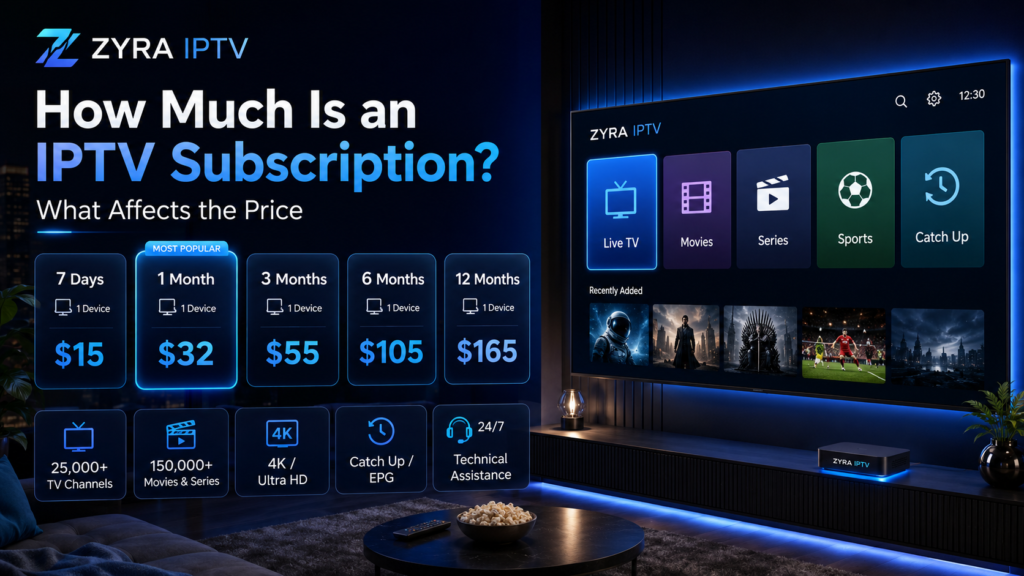
How much is an IPTV subscription? There is no single standard price that applies to every provider. The amount you pay can depend on subscription length, simultaneous connections, content, included features, region, billing currency, IPTV player costs, and whether additional hardware is required. A one-month IPTV plan also cannot be compared directly with a twelve-month plan using only the checkout total. To understand the real value, calculate the effective monthly cost and compare what each subscription actually includes. Prices can change, so always use a provider’s current pricing page or checkout as the final reference before purchasing. What Affects the Price of an IPTV Subscription? Most IPTV pricing differences can be traced to a few practical factors. Pricing factor What to check Subscription length One, three, six, or twelve months Connections Number of simultaneous streams included Content Live channels, sports, movies, series, and VOD Features EPG, catch-up, subtitles, and other functions Device setup Whether extra apps or hardware are needed Billing currency USD, CAD, AUD, or another currency Renewal Manual renewal or automatic billing Additional costs Player fees, payment charges, taxes, or hardware Two subscriptions with similar headline prices may therefore provide very different value. 1. Subscription Length Can Change the Effective Monthly Cost IPTV providers commonly structure subscriptions around different durations. One-Month Plans A monthly plan generally involves the smallest commitment. It can make sense when you: The important figure is the amount paid for that month. Three and Six-Month Plans Medium-length plans involve a larger upfront payment but may have a different effective monthly cost. To compare them fairly, use: Total subscription cost ÷ number of months = effective monthly cost This allows you to compare plans with different durations using the same measurement. Twelve-Month Plans Annual subscriptions require the largest commitment among common plan lengths. A lower effective monthly rate can look attractive, but price should not be the only factor. Before paying for a long period, make sure the content, device setup, support, and streaming experience meet your needs. 2. Simultaneous Connections Can Affect Pricing One of the most important pricing details is the number of connections included. A connection usually refers to how many streams can be active simultaneously, although providers may define their plans differently. This is not necessarily the same as the number of devices on which an IPTV player can be installed. For example, a household might want to watch on: If two or three people expect to watch different programmes at the same time, compare plans based on their simultaneous streaming limits. A multi-connection subscription may be priced differently from a single-stream plan. 3. Content Can Influence What a Subscription Is Worth A subscription’s value is not determined by price alone. Before comparing costs, identify the content you actually want: A lower-cost plan is not necessarily good value if it lacks the programming you want. Likewise, a huge advertised channel count provides little benefit if most of those channels are irrelevant to you. When evaluating content, you can review the Zyra IPTV channel list and compare the published lineup with your own viewing requirements. 4. EPG, Catch-Up, and VOD May Matter IPTV subscriptions can include more than live television. An EPG, or Electronic Programme Guide, provides programme schedule information. Some services may also offer catch-up television or video-on-demand libraries. When comparing plans, check whether the features you care about are included and whether they apply to the channels you intend to watch. Do not assume that every feature works with every channel, app, or device. The cheapest subscription may be less useful if a feature important to your household is missing. 5. The IPTV Player May Be a Separate Cost An IPTV service and an IPTV player are not always the same product. The provider supplies access to the television service, while the player is software used to display and organise streams. Depending on the application, the player may have: Before calculating your IPTV budget, determine which application is required and whether it has a separate cost. If you are unsure how different devices are configured, the Zyra IPTV installation guides provide device-oriented setup information. 6. You May Need Additional Hardware Not every viewer needs to purchase a dedicated IPTV box. An existing compatible television, computer, mobile device, or streaming device may already support an appropriate IPTV setup. However, someone with an older television or unsupported device might choose to purchase additional hardware. That creates an upfront cost beyond the subscription itself. Before buying equipment, confirm: Avoid adding hardware to your IPTV budget until you know you actually need it. 7. Internet Service Is Part of the Overall Viewing Cost IPTV requires network connectivity, so your internet connection also matters. If your existing broadband connection already supports your normal streaming needs, there may be no additional internet expense specifically for IPTV. However, consider whether your internet plan has: Higher-resolution video can require more network capacity than lower-resolution video. The IPTV subscription price therefore tells you what the television service costs, but not necessarily the complete cost of your home streaming setup. 8. Prices Cannot Be Compared Across Countries Without Checking Currency Zyra IPTV targets viewers in Australia, the United States, and Canada, but these markets use different currencies. A price marked simply with a dollar symbol should not automatically be assumed to mean the same currency everywhere. Before paying, verify: Consumers should focus on the final payable amount rather than just the initial headline price. In Australia, the ACCC states that businesses must communicate clear prices and include unavoidable charges in the displayed total price. Canada’s Competition Bureau similarly warns about drip pricing, where mandatory fees make the advertised price unattainable. 9. Check Renewal Terms Before Comparing Subscription Costs A subscription that looks inexpensive initially may work differently when it renews. Before paying, check: For U.S. consumers, the Federal Trade Commission recommends checking the terms of trials and auto-renewals, including how and when to cancel and what price applies after a promotional period. Even when a provider uses manual renewal,
How Much Is IPTV? IPTV Costs and Pricing Explained
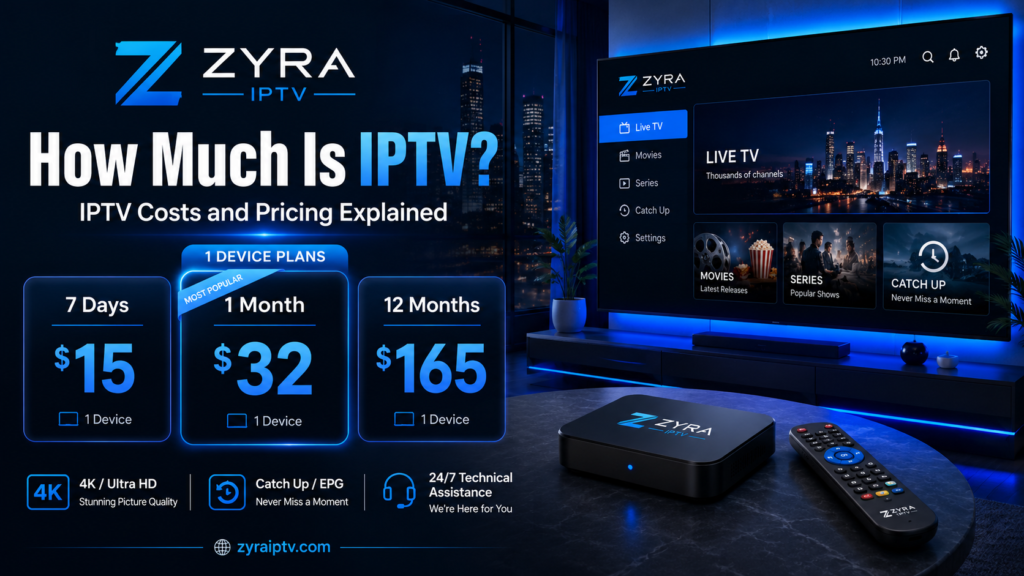
How much is IPTV? There is no single standard price. IPTV costs vary by provider, subscription length, number of simultaneous connections, content package, region, and any additional apps or hardware you may need. A one-month plan will also have a different total cost from a three, six, or twelve-month subscription. Longer plans may reduce the effective monthly cost, but they require a larger upfront commitment. Rather than looking for one universal IPTV price, compare the total cost of the service and exactly what is included. What Determines the Cost of IPTV? Several factors can change the price of an IPTV subscription. Pricing factor Why it matters Subscription length Monthly and longer plans can have different effective monthly costs Number of connections Multiple simultaneous streams may cost more Content Channel and on-demand offerings vary between services Streaming features EPG, catch-up, VOD, and other features can differ Region Availability, currencies, taxes, and terms can vary by country IPTV app Some players are free, while others may charge separately Hardware A new streaming device may add an upfront cost Renewal terms The renewal price may differ from the introductory price This is why two IPTV plans that initially look similar may have very different total costs. How Much Does IPTV Cost Per Month? The most accurate answer depends on the provider you are considering. There is no authoritative worldwide monthly IPTV rate because providers use different pricing models and offer different services. Current search results also show considerable variation between providers, which makes a single universal average difficult to support reliably. Instead, calculate the effective monthly price yourself: Total subscription price ÷ number of subscription months = effective monthly cost For example, when comparing a monthly plan with a twelve-month subscription, do not compare only the checkout totals. Divide the longer plan by its duration so that both options are being evaluated on the same basis. Then compare what each plan actually includes. Monthly vs Longer IPTV Subscriptions Subscription duration is one of the biggest pricing variables. Monthly IPTV Plans A monthly subscription usually involves the shortest commitment. This can be useful when: The trade-off is that the effective monthly cost may be different from that of a longer plan. Three or Six-Month Plans Medium-length subscriptions can provide a balance between commitment and convenience. Before choosing one, compare the total payment with what you would spend by renewing monthly over the same period. Twelve-Month IPTV Plans Annual subscriptions require the largest commitment of the common plan lengths. Even when a twelve-month plan works out to a lower effective monthly amount, that does not automatically make it the best choice. You are paying for a longer period in advance. If you have never used the provider before, testing the service or choosing a shorter commitment first may be more practical. Does the Number of Devices Affect IPTV Pricing? It can. One important distinction is between device compatibility and simultaneous connections. A provider might support installation on several types of devices but limit how many streams can run at the same time under one subscription. For example, households may want IPTV on: If several people want to watch different programmes simultaneously, check whether additional connections are required and whether they change the subscription price. Do not assume that “works on multiple devices” means unlimited simultaneous streaming. For device-specific setup information, you can review the Zyra IPTV installation guides before deciding what type of plan you need. Does the Channel Lineup Affect the Value? Price alone says very little unless you know what the subscription contains. A cheaper IPTV plan is not necessarily better value if it does not include the channels you actually watch. Likewise, paying for a huge advertised lineup may provide little benefit if most of that content is irrelevant to you. Before comparing prices, make a list of your priorities: Then compare those needs with the provider’s published offering. You can examine the Zyra IPTV channel information as one example of how to check content before evaluating a subscription price. Remember the Cost of IPTV Apps and Players The IPTV subscription may not be your only expense. An IPTV player is the software used to access and display streams. Depending on the app, it may be: Do not assume that the IPTV provider automatically includes the premium version of every compatible player. If a third-party application is required, check its current pricing through the official developer or app store before calculating your total cost. Do You Need to Buy an IPTV Box? Not necessarily. Some viewers can use IPTV through an existing compatible Smart TV, Android TV device, phone, tablet, or computer. Others may choose to purchase a separate streaming device or set-top box. That creates a possible upfront hardware cost. Before buying additional equipment, check whether one of your existing devices supports an appropriate setup. Zyra IPTV provides separate information for Smart TV IPTV setup and other platforms. Buying hardware you do not need can make an otherwise inexpensive subscription considerably more expensive. Your Internet Connection Is Part of the Real Cost IPTV relies on network delivery, so internet access should also be considered. If you already have suitable broadband for streaming, IPTV may not require a new internet plan. However, someone with a limited or unsuitable connection may need to consider: Higher-quality video generally transfers more data than lower-resolution video, so users with restrictive data limits should consider their internet provider’s terms. Do not calculate IPTV value by looking only at the subscription fee if using it requires other changes to your home setup. IPTV Prices in Australia, the USA, and Canada The three markets should not be treated as if they use interchangeable pricing. A provider may display: The “$” symbol alone can therefore be ambiguous. Before paying, verify the actual billing currency. Also check whether taxes, currency conversion, payment-processing charges, or other mandatory costs affect the final amount. Australian consumer guidance recommends looking at the total price, not simply an initially advertised figure, particularly when additional charges
Is IPTV Worth It? Pros, Cons and Who It Is Best For
Is IPTV worth it? It can be, but the answer depends on what you watch, which devices you use, the quality of your internet connection, and what you expect from a television service. IPTV can make sense for viewers who want live TV, sports, international programming, movies, and series through internet-connected devices. It may be less attractive if you mainly watch one or two on-demand streaming apps, need a very specific local channel, or prefer a television service that requires almost no setup. Instead of deciding based on price or channel count alone, compare the complete experience. What Determines Whether IPTV Is Worth It? IPTV delivers television and video through IP-based networks. The value of a subscription comes from how well that delivery model matches your viewing habits. A useful way to evaluate it is to consider these factors: Factor Ask yourself Content Does it include what I actually watch? Live TV Do I regularly watch news, sports, or scheduled television? Devices Can I use my preferred television or streaming device? Internet Is my connection reliable enough for regular streaming? Quality Are the available streams suitable for my screen and connection? Flexibility Do I want television across different compatible devices? Setup Am I comfortable installing and configuring an IPTV app? Support Can I get help if something stops working? Terms Are subscription, renewal, cancellation, and refund conditions clear? Your answers matter more than whether someone else says IPTV is a great or poor deal. Pros of IPTV 1. Live TV and On-Demand Content Can Be Accessible in One Setup Depending on the provider, IPTV can combine live television with movies, TV series, an Electronic Programme Guide, and other viewing features. This can be convenient for someone who regularly switches between live broadcasts and on-demand entertainment. The exact content varies by service, so check a provider’s actual lineup rather than assuming all IPTV subscriptions include the same programming. You can use Zyra IPTV’s IPTV channel information as one example of how to review available content before making a decision. 2. IPTV Can Work Across Different Types of Devices A major appeal of internet-based television is device flexibility. Depending on the service and software, IPTV may be used through Smart TVs, Android TV devices, computers, smartphones, tablets, or other compatible hardware. That can be useful if you do not want viewing tied exclusively to one television. However, device compatibility and simultaneous streaming are different things. A service may support several device types while a particular subscription limits how many streams can run at once. Always verify both. 3. IPTV Can Be Useful for Live Sports and News Viewers Live content is one of the strongest reasons some people consider IPTV. If you frequently watch: then access to live channels may provide more value than an on-demand-only service. Current search results around “is IPTV worth it” also show that live television and sports are common reasons viewers evaluate IPTV in the first place. That does not mean every IPTV provider offers the specific sports or channels you want. Regional availability should always be verified. 4. IPTV Can Offer More Viewing Flexibility Traditional television services are often built around a particular receiver, television connection, or provider infrastructure. IPTV is internet-based, so compatible services can provide more flexibility in how and where viewers access television. That may be particularly useful for households that already use Smart TVs or streaming devices for most entertainment. Flexibility is still provider-specific. Do not assume that one subscription automatically permits unrestricted use across every device or location. Cons of IPTV 1. Your Internet Connection Matters Traditional broadcast television and IPTV do not rely on the same delivery path. With IPTV, the stream must continuously reach your device over an IP network. Poor Wi-Fi, network congestion, connection instability, or other networking problems can therefore affect playback. Possible symptoms include: Using Ethernet instead of Wi-Fi can sometimes improve local network stability, but it cannot solve every possible streaming problem. If your internet connection is frequently unstable, IPTV may feel less dependable than a television service using separate broadcast infrastructure. 2. Quality Can Vary Between Providers There is no universal IPTV network shared by every provider. Different services may use different infrastructure, stream sources, applications, encoding methods, and support systems. For that reason, one person’s experience with IPTV cannot automatically predict yours. This is also why claims such as “zero buffering” or “perfect 4K on every channel” should be treated cautiously. Streaming quality depends on several factors, including the source, provider, network, device, and viewer’s internet connection. 3. Setup Can Require More Effort Some users want television to work immediately after turning on the TV. IPTV can involve additional steps such as: For technically comfortable users, this may be straightforward. For others, it can be less convenient than a conventional television package. If setup simplicity matters to you, check whether clear installation guidance is available before subscribing. 4. Not Every Provider Is Equally Trustworthy The IPTV market includes many providers, comparison sites, rankings, forums, and social media recommendations. That means provider research is important. Do not assume a service is reliable because it has: The U.S. Federal Trade Commission advises consumers to check multiple review sources and not rely on star ratings alone because reviews can be fake or misleading. The same common-sense approach is useful when researching IPTV providers. 5. Security Depends on the App and Provider IPTV technology itself is not automatically unsafe, but downloading unknown applications or entering payment details on unfamiliar websites can introduce risks. Check: For a deeper security checklist, see Zyra IPTV’s IPTV security and privacy guide. IPTV vs Traditional TV and On-Demand Streaming Whether IPTV is worth it becomes easier to judge when you compare what each type of service is designed to do. Option Often suits viewers who want IPTV Live TV, multiple content categories, internet-based viewing Traditional television Familiar channel experience with provider-managed equipment On-demand streaming Movies and series selected individually Free-to-air television Available broadcast channels without a television subscription These categories can
How to Find IPTV Providers and Compare Them Safely
If you are researching how to find IPTV providers, the safest approach is to build a shortlist from verifiable sources and then compare each service carefully before paying. Do not choose a provider simply because it appears repeatedly in a forum, has thousands of channels in an advertisement, or claims to be the best. Start with your location, viewing needs, devices, and budget. Then check the provider’s website, content information, subscription terms, support, security, reviews, and trial options. Finding providers and choosing between them are separate steps. First discover realistic options, then verify which one actually fits your requirements. Where Can You Find IPTV Providers? There is no single directory containing every IPTV service available worldwide. Depending on your market, potential providers may appear through: Each source has strengths and weaknesses. A search engine can provide many options quickly, but high placement does not automatically mean a provider is suitable. Forums can reveal real customer experiences, but they can also contain advertising, referral posts, outdated recommendations, and promotional accounts. The goal should therefore be to use discovery sources to build a shortlist, not to treat them as proof that a provider is trustworthy. 1. Start With Your Viewing Requirements Before searching for provider names, define what you need. Write down: This immediately eliminates providers that do not match your needs. It also prevents you from being distracted by enormous advertised channel numbers when you may only care about a relatively small group of channels. Availability can differ between Australia, the United States, and Canada, so check the region relevant to you rather than assuming every provider supplies identical content everywhere. 2. Use Search Engines to Build a Shortlist Search engines are one of the simplest ways to discover IPTV services, but use specific searches. Instead of searching only for “IPTV”, try combinations related to what you need, such as: Open several provider websites and compare them side by side. Do not immediately purchase from the first result. Search visibility is not the same as service quality, content authorization, or customer satisfaction. A useful shortlist may contain three to five providers that appear to meet your basic requirements. 3. Check the Provider’s Official Website Once you find a provider, move from discovery to verification. Look for clear information about: A provider’s own website is still a marketing source, so its claims should not automatically be considered independent evidence. However, unclear or contradictory information on the provider’s own website is a reason to investigate further. When assessing available programming, compare what you need with the provider’s actual published lineup. For example, you can review Zyra IPTV’s channel information rather than relying solely on a general claim about channel quantity. 4. Search Reviews From Multiple Sources Reviews can help you identify recurring problems or strengths, but do not rely on one platform. The U.S. Federal Trade Commission recommends checking reviews across multiple sources, considering who wrote them, looking at how recent they are, and not relying on star ratings alone. The FTC warns that reviews can be fake, deceptive, manipulated, or influenced by incentives. Look for specific comments about: Be cautious when many reviews use nearly identical wording or when accounts appear to exist primarily to promote one provider. Negative reviews also require context. A buffering complaint, for example, might involve the provider, the viewer’s Wi-Fi, the app, or the device. 5. Use Reddit and Forums as Leads, Not Proof Community discussions can help when researching how to find an IPTV provider, particularly because users often discuss setup experiences and providers that may not appear prominently in ordinary search results. However, forum recommendations should be treated carefully. An IPTV-related Reddit thread, for example, includes users recommending trials and personal referrals, while other participants warn about spam, bots, promotional accounts, and communities dominated by sellers. Use forums to discover names and questions worth investigating. Do not send money simply because an anonymous account says a provider is reliable. A better process is: 6. Check Device Compatibility Before Comparing Prices A provider may appear attractive until you discover that its setup does not suit your device. Determine whether you plan to watch through: Then check which IPTV app or player is needed and how the account is configured. Some services may use an M3U playlist, while others may use account credentials, portal information, or another setup method. If you are unfamiliar with these processes, Zyra IPTV’s IPTV installation guides can help you understand common setup requirements before evaluating providers. 7. Compare the Content You Will Actually Watch Channel count should not dominate your decision. Create a small checklist of your must-have content and verify those items first. For example: Requirement What to verify Local TV Relevant channels for your region Sports Specific leagues, events, or broadcasters Movies Whether the available catalogue suits you International TV Countries and languages you need EPG Whether programme information is supported Catch-up Which channels support it VOD Relevant movie and series availability Also remember that a listed channel does not guarantee identical availability forever. Programming and regional distribution can change. 8. Look for a Trial or Short Commitment A trial can help you assess factors that are difficult to judge from a website. During testing, check: Do not spend the entire test browsing random channels. Focus on the content you expect to watch regularly. If no trial is available, a shorter subscription may reduce the commitment compared with immediately purchasing a long-term plan. Always read the conditions first. 9. Review Payment, Renewal, and Refund Terms Before paying, know exactly what happens after checkout. Check: The FTC advises online shoppers to research sellers, read refund policies, compare options, and keep purchase records. It also notes that HTTPS encrypts the connection but does not prove that a seller itself is legitimate. Keep receipts, emails, and copies of important subscription terms. 10. Check Security Before Installing an IPTV App Finding a provider sometimes leads to installing an unfamiliar IPTV app or APK. Before doing so, verify: Avoid instructions that ask you to
How to Choose an IPTV Provider: Complete Buyer Checklist
Choosing an IPTV provider should involve more than comparing prices or selecting the service that advertises the most channels. A better decision comes from checking the content you actually want, device compatibility, streaming performance, subscription conditions, support, security, and provider transparency. If you are researching how to choose IPTV OTT provider, it is also useful to clarify the terminology. IPTV and OTT can describe different technical delivery models, but consumers often encounter both terms when comparing internet-based television services. In this guide, “provider” means a consumer-facing television or streaming service rather than a company developing an OTT platform for broadcasters. Use the checklist below before committing to a subscription. 1. Define What You Actually Need Start with your viewing habits rather than the provider’s marketing page. Ask yourself: Creating this list makes provider comparisons much easier. Someone watching one Smart TV has different requirements from a household that wants several simultaneous streams across televisions, tablets, and other devices. 2. Check the Channel Lineup Carefully Large channel numbers can look impressive, but quantity alone does not determine value. Instead, confirm whether the provider has the channels and categories you actually want. Pay particular attention to: When comparing Zyra IPTV, for example, you can review its published IPTV channel list rather than relying only on a headline channel count. Also check regional availability. A service marketed internationally should not be assumed to provide identical programming in Australia, the United States, and Canada. Sports and premium content can be especially dependent on regional distribution arrangements. 3. Verify Device and App Compatibility Do this before paying. An IPTV subscription is not useful if the required setup does not work with the device you plan to use. Depending on the service, IPTV may be accessed through: Ask the provider exactly how the service is configured. Possible setup methods can include M3U playlists, account credentials, portal information, or another supported method. Also distinguish between device compatibility and simultaneous connections. A service might technically work on several types of devices while your subscription allows only a particular number of concurrent streams. If you need to understand common installation methods first, review the IPTV setup guides. 4. Evaluate Streaming Quality Realistically Do not choose an IPTV OTT provider solely because the website displays terms such as HD, Full HD, or 4K. Streaming quality depends on more than resolution. Factors can include: Ask what content is actually available at each resolution rather than assuming a 4K claim applies to everything. Be equally cautious about absolute buffering promises. A provider cannot control every part of your local network, internet connection, Wi-Fi environment, device, and software. A more useful question is whether playback performs consistently on your own setup. 5. Use a Trial When One Is Available A legitimate trial can answer questions that specifications cannot. Test the service on the same device and internet connection you expect to use after subscribing. During the test, check: Peak-time testing can be particularly useful because a quiet weekday morning may not represent your normal viewing conditions. Before starting any trial, read the terms so you know whether payment details are required, what happens when the trial ends, and whether it converts into a paid plan. 6. Check EPG, VOD, and Catch-Up Features Features beyond live television can significantly affect usability. An EPG, or Electronic Programme Guide, displays scheduling information and helps users navigate television channels. Video on demand, commonly called VOD, provides movies, series, or other programmes that can be started when the viewer chooses. Some services may also provide catch-up functionality for previously broadcast programmes. Do not assume every channel supports every feature. Ask whether the features you care about work with the specific content and device you intend to use. 7. Compare Subscription Terms Before Price Price matters, but comparing headline prices alone can produce a poor decision. Before subscribing, determine: Check Question to ask Duration How long does the subscription last? Currency Which currency will I actually be charged? Renewal Does the plan renew automatically? Cancellation How can I cancel? Refunds Is there a refund policy and what conditions apply? Connections How many simultaneous streams are included? Changes Can channels or features change during the subscription? Support What help is included? This becomes particularly important when comparing services across different countries. Do not assume a price displayed for one market is directly comparable with a price in another currency or under different subscription conditions. 8. Research the Provider, Not Just the Product Knowing how to choose OTT IPTV provider also means checking who is behind the service. Look for: A polished website does not prove that a provider is trustworthy. HTTPS is useful because it encrypts the connection to a website, but the U.S. Federal Trade Commission notes that an encrypted website is not automatically a legitimate business. The FTC also recommends checking sellers, understanding refund policies, and keeping transaction records when purchasing online. 9. Treat Reviews and Rankings Carefully Reddit discussions, review sites, social media posts, and “best IPTV” rankings can help you find potential providers, but they should not make the decision for you. Check multiple sources. Consider: The FTC advises consumers to consider the source of reviews and compare information across multiple sources because reviews can be fake, deceptive, manipulated, or influenced by incentives. Treat rankings as research material, not as proof that one provider is universally the best. 10. Check Security Before Installing Anything IPTV often requires an application or player, so software security deserves attention. Before installing an app: Be especially careful when a provider asks you to disable device security permanently or install unrelated software. For Smart TV users, the Smart TV IPTV setup information can help you understand normal installation steps before following unfamiliar instructions. 11. Examine Content Authorization and Regional Availability IPTV is a delivery technology. It does not automatically give a provider permission to redistribute every television channel, movie, or sporting event. Before subscribing, consider whether the provider clearly explains: Consumers usually cannot inspect private distribution agreements, so avoid making
What Is the Best IPTV Service? Features to Look for Before Choosing
What is the best IPTV service? There is no single provider that is automatically the best choice for everyone. The right IPTV service depends on the channels and content you want, the device you use, your internet connection, subscription terms, customer support, security, and whether the provider is transparent about what it offers. Many IPTV comparison pages focus heavily on enormous channel counts or declare one provider the number one choice. A better approach is to compare services using features you can actually evaluate before paying. Here are the factors that matter most. What Makes a Good IPTV Service? A good IPTV service should fit your viewing habits rather than simply have the longest feature list. For most users, these are the main areas to compare: Feature What to check Channel lineup Whether the channels you actually want are included Streaming quality Available resolutions and real-world playback Device support Whether your preferred device and setup method are supported EPG Availability and usefulness of programme information VOD Whether relevant movies and TV series are available Connections How many devices can stream at the same time Subscription terms Duration, renewal, cancellation, and refund conditions Customer support How help is provided when setup or account issues occur Security App source, payment process, privacy, and account protection Transparency Clear information about the provider and its service The importance of each feature depends on how you watch television. 1. Check the Channels You Actually Want Channel quantity can be misleading. A service advertising thousands of channels may still be a poor choice if it does not provide the programming you regularly watch. Start by listing your priorities, such as: Then compare those priorities with the provider’s published lineup. If you are evaluating Zyra IPTV, you can review its IPTV channel information to see what is currently listed. Remember that television and sports availability can vary by region. Do not assume that a channel listed for one market will necessarily be available under the same conditions in Australia, the United States, and Canada. 2. Evaluate Streaming Quality Beyond the 4K Label HD, Full HD, and 4K are useful terms, but resolution alone does not determine viewing quality. Playback can also depend on: For this reason, claims such as “4K available” should not be interpreted as meaning that every channel or programme will always play in 4K. The same applies to buffering. No IPTV provider controls every part of the connection between its infrastructure and your television, so claims of guaranteed zero buffering under all circumstances should be treated cautiously. A good provider should explain available streaming options without relying on unrealistic guarantees. 3. Make Sure the Service Fits Your Device Device compatibility should be checked before purchasing a subscription. Depending on the IPTV service, viewers may use devices such as: The exact installation method can differ considerably. Some IPTV setups use an M3U playlist. Others use usernames and passwords, portal information, or another login method supported by a particular IPTV player. Before subscribing, find out: Zyra IPTV provides IPTV installation guides for users who want to understand the setup process across supported platforms. 4. Check EPG, Catch-Up, and VOD Features Features beyond live channels can significantly affect everyday usability. An EPG, or Electronic Programme Guide, provides programme schedules and can make navigating live television easier. Some services may also provide catch-up functionality that lets viewers access recently broadcast programming. Video on demand, or VOD, provides movies and TV series that can be selected individually rather than watched according to a live schedule. Do not assume that every channel supports every feature. Before buying, check whether EPG, catch-up, subtitles, VOD, or other features important to you are available with the channels and devices you intend to use. 5. Compare Simultaneous Connections Carefully Device compatibility and simultaneous streaming are not the same thing. A provider may support installation on several types of devices while a particular subscription permits only a certain number of simultaneous connections. This matters in households where two or more people may want to watch different programmes at the same time. Before purchasing, determine: Do not assume that “works on multiple devices” means unlimited simultaneous viewing. 6. Compare Subscription Terms, Not Just Price The cheapest service is not automatically the best IPTV service. Instead of comparing only the headline price, check exactly what the subscription includes. Review: This is particularly important when comparing services across different countries because currencies, taxes, consumer rules, and available plans may differ. A longer subscription can appear less expensive on a monthly basis, but it also involves a larger commitment. Make sure you understand the terms before choosing solely on price. 7. Use Trials to Test What Marketing Cannot Prove When a genuine trial is available, it can help answer practical questions that specifications cannot. During a trial, check the service under the same conditions in which you normally watch television. Test: A short test cannot guarantee future performance, but it provides more useful information about your own setup than relying entirely on promotional claims. Read the trial conditions before starting, particularly whether payment details are required and whether the trial converts into a paid subscription. 8. Evaluate Customer Support Before You Need It IPTV can involve device configuration, player settings, login credentials, playlists, and internet troubleshooting. Useful customer support therefore matters. Check whether the provider clearly explains: You can also contact support with a real question before purchasing. A quick response is helpful, but the quality and accuracy of the answer matter more than response speed alone. 9. Be Careful With Reviews and “Number One” Rankings Searching “what is the number one rated IPTV” brings up many rankings, Reddit posts, reviews, and comparison websites. Treat them as research sources rather than definitive rankings. The U.S. Federal Trade Commission recommends checking reviews across multiple sources and warns that some ratings and reviews may be fake, deceptive, or influenced by incentives. When reading an IPTV ranking, ask: Current search results frequently emphasize factors such as stream stability, channel selection, picture
